 AI Photo & File Organizer
Microsoft Store · Windows 10 & 11
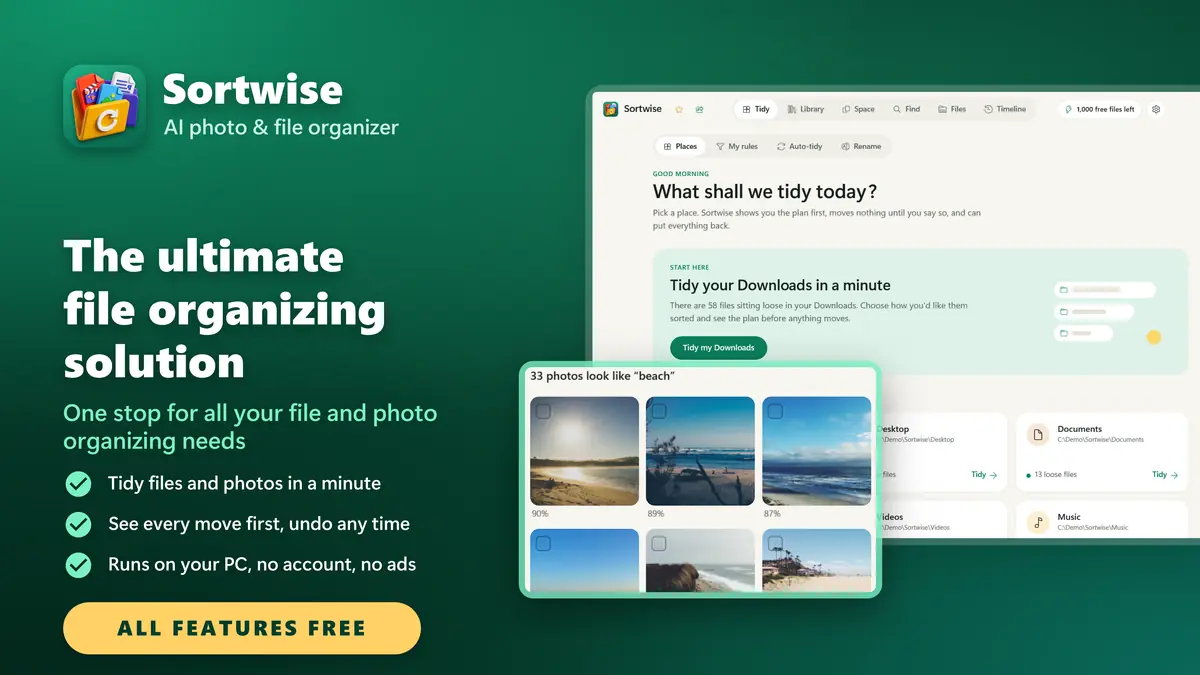
Sortwise The ultimate file organizing solution
Sortwise is a private AI photo organizer, file organizer and duplicate finder that runs offline on your own PC. Sort years of photos by date, find duplicate photos and files, clean up Downloads and the desktop, and win back disk space — with a preview of every move and one-click undo.
All features freeUnlimited scans · 1,000 file changes a month
Sortwise at a glance
Sortwise is the ultimate file organizing solution: one stop for all your file and photo organizing needs. Every feature is free: move, copy, rename or remove up to 1,000 files every calendar month, with no trial and no time limit. Scanning, searching, finding duplicates and undo never count. Need more for a big clean-up? Pro for 24 hours or Pro forever removes the limit.
- What it is
- A file and photo organizer for Windows 10 and 11, with a duplicate finder, batch renamer and AI photo search
- Price
- Free, with every feature and 1,000 file changes a month. Pro for 24 hours or Pro forever removes the limit
- Never counts
- Scanning, searching, finding duplicates, backups and undo, as often as you like
- Sorts by
- File type, year and month, date taken, camera, or your own rules written in plain words
- Cleans up
- Duplicate files, look-alike and blurry photos, bursts, old installers and unfinished downloads
- Safety
- Shows the plan before anything moves, never overwrites, sends removals to the Recycle Bin, undoes any change
- AI
- Photo search, look-alikes, face grouping and rules from your words run on your PC. No GPU needed
- Privacy
- Works offline. No account, no ads, no telemetry, nothing uploaded
- Runs on
- Windows 10 version 2004 or later and Windows 11, x64 and ARM64, in 23 languages
Everything you need to organize your files and photos
One stop for all your file and photo organizing needs
Your Downloads folder has four thousand things in it. Your Pictures folder holds three phones, two cameras and a decade of screenshots. Sortwise sorts all of it out — on your own PC, offline — and it never moves a file until you have read the list and said yes.
Point Sortwise at a folder, choose how you want it sorted, and it shows you a plain-English preview of every single move before anything happens. Read it, delete the lines you do not like, then run it. If you regret it five minutes or five days later, one click puts everything back exactly where it was. Nothing is ever permanently deleted — removals go to the Recycle Bin.
Tidy any folder
Downloads, Desktop, Documents and Pictures
AI photo search
Find photos by what is in them
Duplicate finder
Copies found by content, not by name
Look-alike photos
Bursts and blurry shots: keep the best
Rules in your words
A local AI turns a sentence into rules
Batch rename
Hundreds of files, previewed first
Undo anything
Every tidy stays on the Timeline
Private by design
Runs on your PC, nothing uploaded
ONE APP FOR ALL YOUR FILE AND PHOTO ORGANIZING NEEDS
File and folder organizer, photo and picture manager, duplicate photo and file finder, look-alike and blurry photo cleaner, disk space analyzer, batch file renamer, offline photo search, local face grouping, music organizer, video duplicate finder, folder backup, camera card import, and invoice and bill organizer, all in one private app, with every feature free.
See Sortwise at work
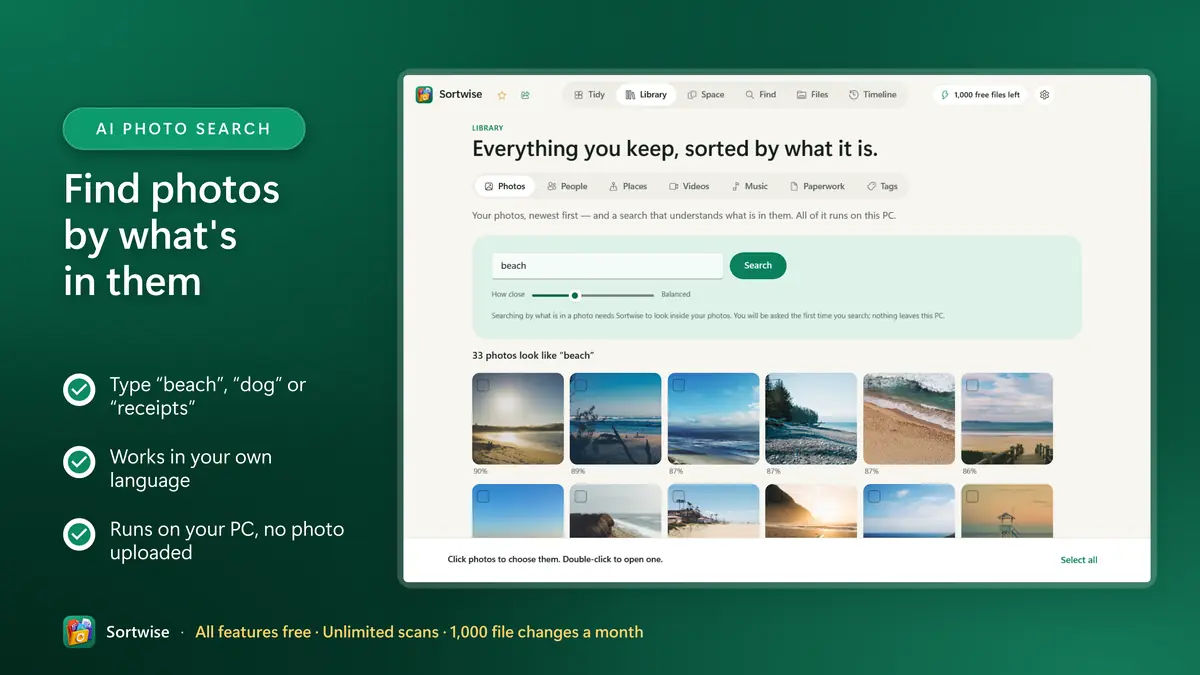
Find photos by what's in them
- Type “beach”, “dog” or “receipts”
- Works in your own language
- Runs on your PC, no photo uploaded
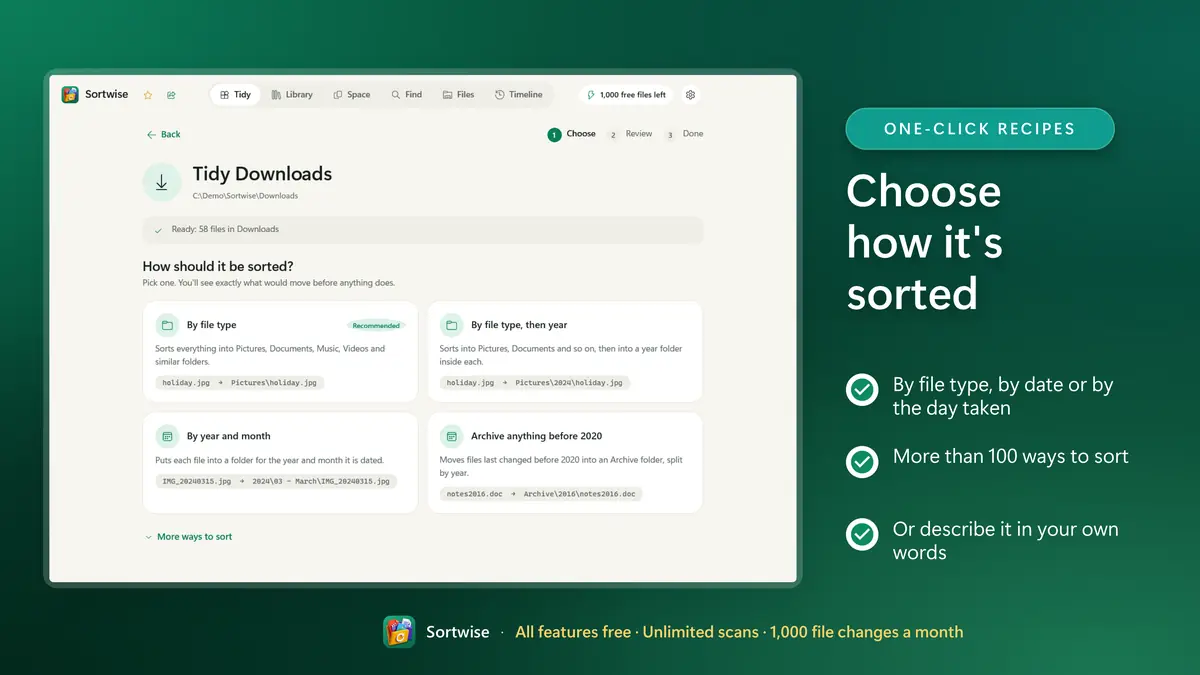
Choose how it's sorted
- By file type, by date or by the day taken
- More than 100 ways to sort
- Or describe it in your own words
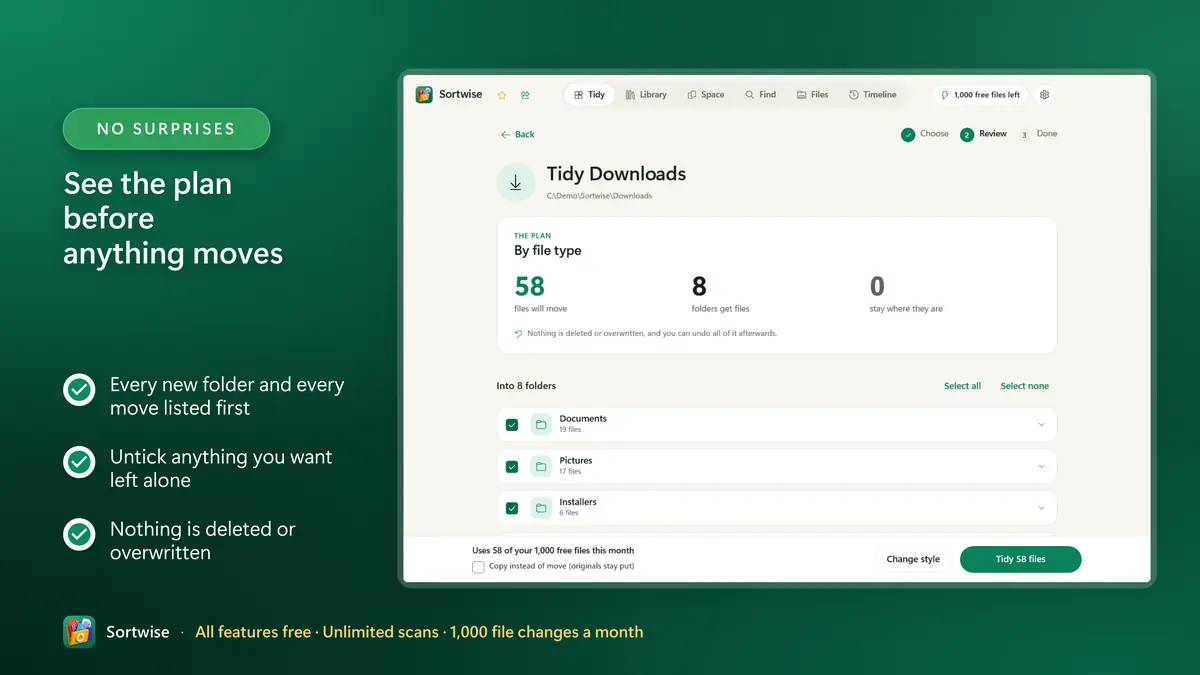
See the plan before anything moves
- Every new folder and every move listed first
- Untick anything you want left alone
- Nothing is deleted or overwritten
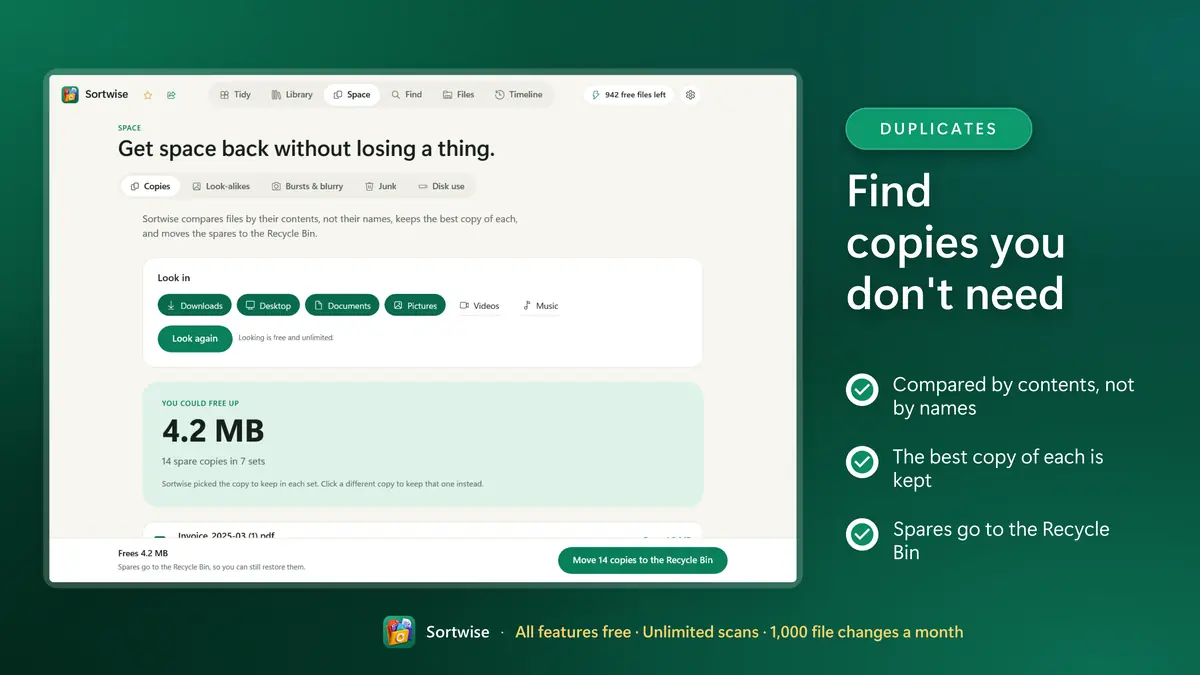
Find copies you don't need
- Compared by contents, not by names
- The best copy of each is kept
- Spares go to the Recycle Bin
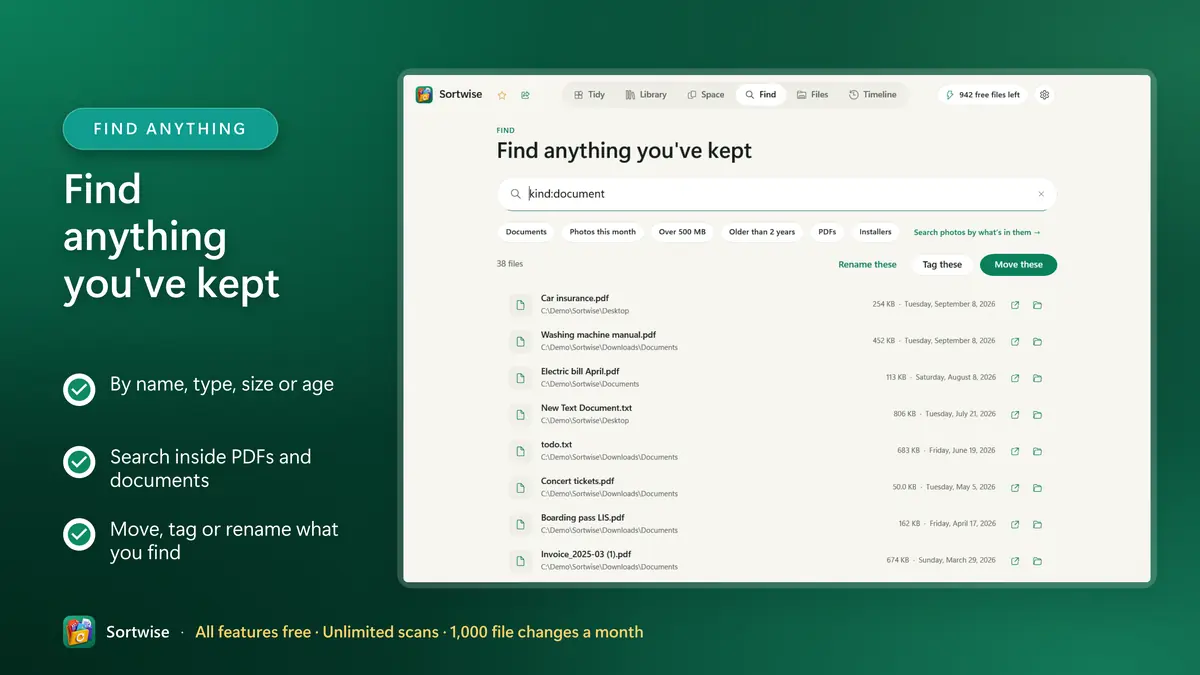
Find anything you've kept
- By name, type, size or age
- Search inside PDFs and documents
- Move, tag or rename what you find
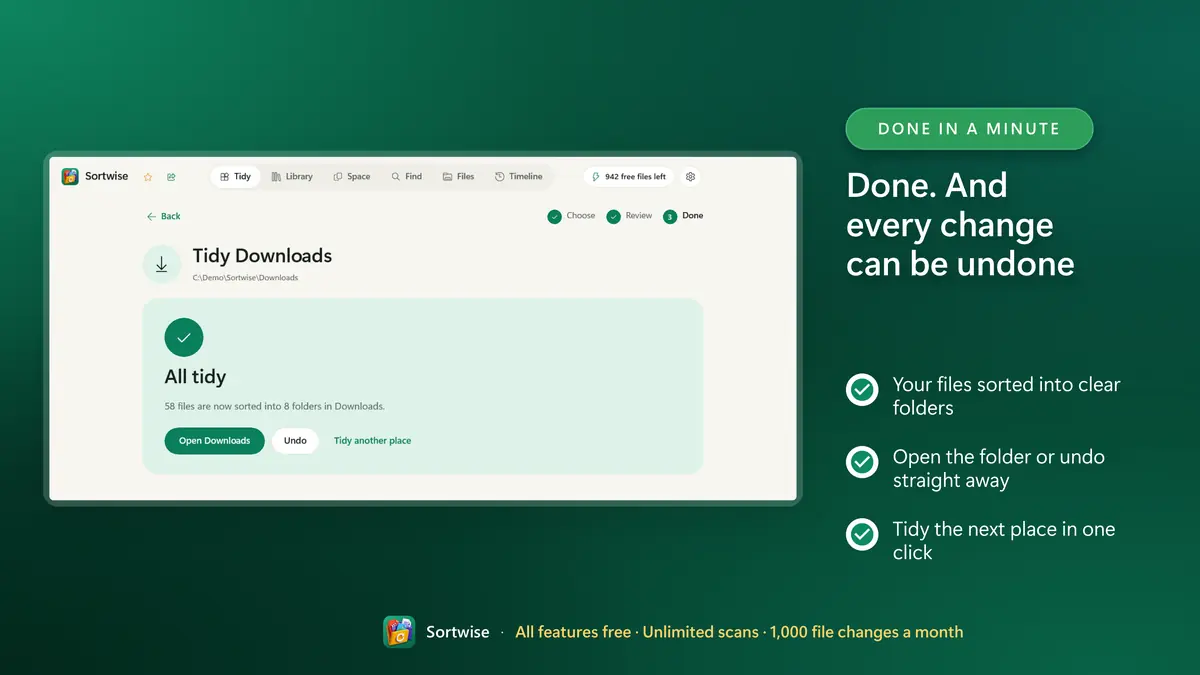
Done. And every change can be undone
- Your files sorted into clear folders
- Open the folder or undo straight away
- Tidy the next place in one click
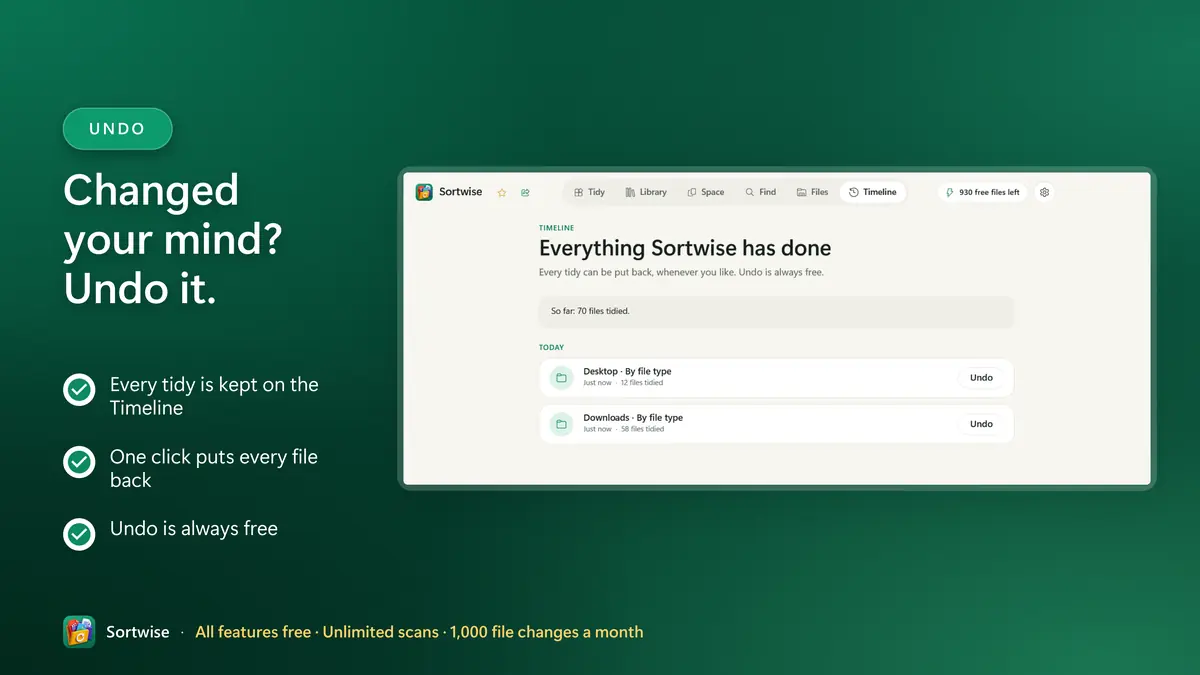
Changed your mind? Undo it.
- Every tidy is kept on the Timeline
- One click puts every file back
- Undo is always free
All features freeUnlimited scans · 1,000 file changes a month
Every feature is free
No trial, no time limit, no ads. The free plan has every feature; only the number of files changed each month has a limit.
Sortwise Free
Free
- Tidy, rename, duplicates, AI photo search, faces, backup: all included
- Each file moved, copied, renamed or removed counts as one change
- Scanning, searching, finding duplicates, backups and undo never count
- Undoing a tidy gives those files back to this month's allowance
- The count starts again on the 1st of every month
Sortwise Pro Optional
Pro for 24 hours or Pro forever
- Pro for 24 hours: unlimited changes for one big clean-up
- Pro forever: unlimited, for good, with one purchase
- Anything you start before the 24 hours end will finish
- Bought in the Microsoft Store. No subscription, no account with us
Prices are set per market and shown in the Microsoft Store before you buy. Over the limit? Sortwise asks before a tidy starts, offers to use the free files you have left, and never stops halfway.
A tidy folder in three steps
Pick a place
Downloads, Desktop, Documents, Pictures or any folder you choose. Sortwise reads it and shows how many files are lying loose.
Choose a style
By file type, by date, photos by the day they were taken, or any of more than 100 ways to sort. Or describe it in your own words.
Check the plan, then tidy
Every new folder and every move is listed first. Untick anything you want left alone, then tidy. One click on the Timeline puts it all back.
All features freeUnlimited scans · 1,000 file changes a month
Sortwise or tidying by hand?
File Explorer moves files one batch at a time. Sortwise does the whole folder, shows you the plan first and can put everything back.
| Job | Sortwise | By hand in File Explorer |
|---|---|---|
| Sort a messy folder into Pictures, Documents, Videos and more | One click, with ready-made recipes | Select and drag, one batch at a time |
| File photos by the date they were taken | Reads the date inside each photo | Date taken is only a column; you move them |
| Find duplicate files | Compared by content, whatever they are called | No duplicate finder |
| Find photos by what is in them | Type “beach” or “dog” | Names and file details only on most PCs |
| Rename hundreds of files | Replace, number, prefix, suffix, with a preview | Numbered names only, such as Photo (1) |
| See every change before it happens | A full plan; untick anything | Each move happens as you drag |
| Undo a whole clean-up days later | Every tidy on the Timeline | Ctrl+Z for your latest actions |
| Price | Free, 1,000 file changes a month | Free |
One app for every kind of mess
The Downloads folder
Installers, PDFs, zips and pictures sorted into folders by type, with old installers moved out of the way.
A cluttered desktop
Clear the desktop in one go without losing track of anything: the Timeline shows where every file went.
Years of photos
Pictures from phones and cameras filed by year and month from the date inside each photo, RAW and JPG kept together.
Duplicates and disk space
Copies found by content, look-alikes, bursts and blurry shots, unfinished downloads. Spares go to the Recycle Bin.
Bills and paperwork
Scanned statements and invoices renamed from what they say: date, sender and kind of document, then filed by year.
Music and videos
Tracks sorted by their artist and album tags, and duplicate videos found even when the names differ.
Everything Sortwise does, in detail
ORGANIZE FILES AND PHOTOS
- One-click recipes: by file type, by year and month, by year, by type then year, by camera, or move screenshots aside.
- Continue the filing system you already have. Sortwise reads the folders you built years ago and writes rules that carry on where you left off.
- Describe what you want in your own words — "put invoices in Documents by year" — and a local language model drafts the rules for you to check.
- A full rule builder: extension, name, path, size, dates, image size, camera, person, place, label, visual similarity.
- Save any set of rules as a recipe and run it again whenever you like.
- Watched folders notice new arrivals and stage them for review. They never move anything on their own.
- Files that belong together stay together — a RAW and its JPG, a video and its sidecar, are never split up.
- Protected system locations are refused outright.
BATCH RENAME
- Replace text, number files in sequence, add a prefix or a suffix, fix capitalisation, or strip text out — across hundreds of files at once, with the same preview and the same one-click undo.
FIND ANYTHING AGAIN
- Search files by name, type, size, date or your own labels.
- Search photos by what is actually in them — "beach", "my dog", "receipts" — even when every file is called IMG_4471.
- Search inside your documents, including PDFs.
PHOTOS
- People: Sortwise groups photos of the same face so you can put a name to a group and file pictures by person. Off by default, opt-in, and erasable at any time. It never guesses who anyone is.
- Places: see where your photos were taken, grouped into trips and locations, using the position your camera or phone stored in the picture.
- Bursts: twenty-four frames of the same moment, with the sharpest one picked out for you.
DUPLICATES AND DISK SPACE
- Identical files anywhere on your drives, whatever they happen to be called.
- Near-identical photos, caught even after they have been resized, re-compressed or shared around.
- Debris: interrupted downloads, editor temp files, empty files, old installers, and archives already unpacked beside them.
- Archive a folder you have not touched in months into a .zip beside it, checked file by file before anything is removed.
PAPERWORK
- Bills, statements and scans arrive as things like Statement_08472204_20240314.pdf. Sortwise reads the text already stored for search and suggests who sent it, what kind of document it is and when — enough to rename it "2024-03-14 - Barclays - Statement.pdf" and file it by year. The evidence is shown next to every suggestion, and it goes through the same preview as everything else.
BROWSE, BACK UP, REPAIR
- A built-in folder browser: work through your library folder by folder, sort by size, and move, rename, label or recycle what you find without leaving the app.
- Move a large folder to another drive and leave a link behind, so shortcuts, projects and anything else pointing at the old place keeps working.
- Incremental backup jobs between your folders, with restore and verification.
- Compare two folders and see exactly what is missing, changed or duplicated between them.
- Fix names that break things: paths over 260 characters, trailing spaces, characters cloud storage refuses.
- Full history: every change Sortwise has ever made to any file — moved, copied, recycled, unpacked, renamed — newest first, and every one of them undoable.
Your files stay on your PC
Sortwise has no server to send anything to. What it learns about your files is kept in a local database on your own drive.
Sortwise works offline. There is no account, no sign-in, no ads, no analytics and no telemetry. Your files, your photos, your face groupings and your searches stay on your machine — the index is a local database on your own drive and is never uploaded.
Two things use the internet, both optional and both only when you ask:
- A one-time download of the AI model files Sortwise then runs on your own hardware.
- Place-name lookup via OpenStreetMap, which is off by default and sends only the words you type.
Face data never leaves your PC, is kept out of cloud-synced folders, and can be erased completely from Settings at any time. If you would rather Sortwise never looked inside a file at all, one setting restricts it to file names and locations only.
Privacy PolicyBUILT FOR WINDOWS
A native Windows app with a clean, keyboard-friendly interface, light and dark themes, and support for very long paths. The AI runs locally on your CPU — no special hardware needed.
IN YOUR OWN LANGUAGE
Sortwise is fully translated into 23 languages — English, العربية, 简体中文, Čeština, Dansk, Nederlands, Suomi, Français, Deutsch, עברית, Magyar, Italiano, 日本語, 한국어, Norsk bokmål, Polski, Português, Русский, Español, Svenska, ไทย, Türkçe, Українська. It picks up your Windows language on its own, or you can choose a different one in Settings, and right-to-left layouts are properly mirrored.
Feature list
- All features free: move, copy, rename or remove up to 1,000 files every calendar month. No trial, no time limit. Scanning, searching and undo never count.
- See exactly what will happen before a single file moves. Every organize starts as a preview you can read, edit line by line, and cancel.
- Undo anything. Every change is journalled, so one click puts every file back exactly where it was. Nothing is ever permanently deleted.
- Tidy Downloads, Desktop, Documents and Pictures in a few clicks
- Find photos by what is in them. Search "beach", "my dog" or "receipts" and get results even when the file names tell you nothing.
- Group photos of the same face to name people and file by person, and see your pictures on a map. Off by default, opt-in, erasable any time.
- Find duplicate files by content and free up space
- Photos that are not exact copies but look the same: the resized one, the re-saved one, two shots a second apart. Sortwise keeps the best of each set.
- Describe what you want in plain English — "put invoices in Documents by year" — and a local language model turns it into rules you can check.
- Tidy a folder in one click with ready-made recipes — or let Sortwise read the filing system you already built and write rules that carry it on.
- Rename hundreds of files at once: replace text, number them in order, add a prefix or a suffix, fix capitalisation. Same preview, same one-click undo.
- Search inside your documents, PDFs included, so you can find a file by a phrase you remember rather than by a name you do not.
- Search by name, kind, size or age
- Bills, statements and scans get named from what they actually say — sender, kind and date — instead of a barcode number a scanner made up.
- Run incremental backups between your folders, with restore and verification, so a second copy exists before you start moving anything.
- Move a large folder to another drive and leave a link behind, so shortcuts and anything else pointing at the old place keeps working.
- Spare copies go to the Recycle Bin, never deleted outright
- More than 100 ways to sort, from file type to camera originals
- Works offline: after a one-time download of the AI models, nothing needs the internet. No account, no sign-in, no ads, no telemetry. Your files, photos and face data never leave your PC.
- Available in 23 languages, light and dark
Frequently asked questions
The ultimate file organizing solution
Sortwise does not upload your files. It does not need an account. It shows you what it is about to do — and it can always take it back.
Every feature is free. Point Sortwise at your messiest folder and see the plan in a minute.
All features freeUnlimited scans · 1,000 file changes a month