Stow
Microsoft Store · Windows 10 & 11
Stow
Microsoft Store · Windows 10 & 11
Stow: AI Photo & File Organizer, Duplicate Finder
The 100% offline, privacy-first desktop file management suite that organizes, deduplicates, cleans, and protects your files without ever uploading a single byte to the cloud.
US$4.99 one-timeBuy it outright today — or try the full app free for 15 days first. No subscription, no account.
Your filing system did not fail. Life happened.
A Downloads folder with four thousand things in it. A Pictures folder holding three phones, two cameras and a decade of screenshots. Folders called “Holiday 2019”, “Copy of holiday” and “holiday (final)”, and no way to tell which is which.
Doing it by hand works, but nobody finishes. Cloud services will do it for you — by uploading your entire personal library to somebody else’s computer. Scriptable tools do exactly what you tell them, if you are willing to learn a rule syntax and test it on a copy first. And all of them, at the moment of truth, ask you to trust that the operation about to run across ten thousand files is the one you meant.
Stow puts an end to cluttered Downloads, sprawling photo libraries, and mystery folders. Powered by on-device vision, local document OCR, and CPU language models, Stow calculates intelligent organization plans, hunts down duplicate and blurry files, and sweeps away hidden junk.
Everything runs strictly on your PC with zero cloud servers, zero telemetry, and zero background tracking. Nothing ever moves without an approved preview, nothing is ever permanently deleted, and any operation can be reversed in a single click.
The Five Invariants
Five non-negotiable architectural guarantees built into every layer of Stow.
100% Offline & Private
Zero accounts, zero cloud servers, zero telemetry, zero analytics, zero background tracking. All AI models (vision, OCR, language) run locally on your PC's CPU.
Nothing Moves Without an Approved Preview
Stow never moves, renames, or cleans a file behind your back. Every single operation produces an itemized preview table you review and approve first.
Nothing Is Ever Permanently Deleted
The app never executes permanent file deletions. Cleaning and duplicate removal operations move items to the familiar Windows Recycle Bin where they can easily be recovered.
Instant One-Click Undo
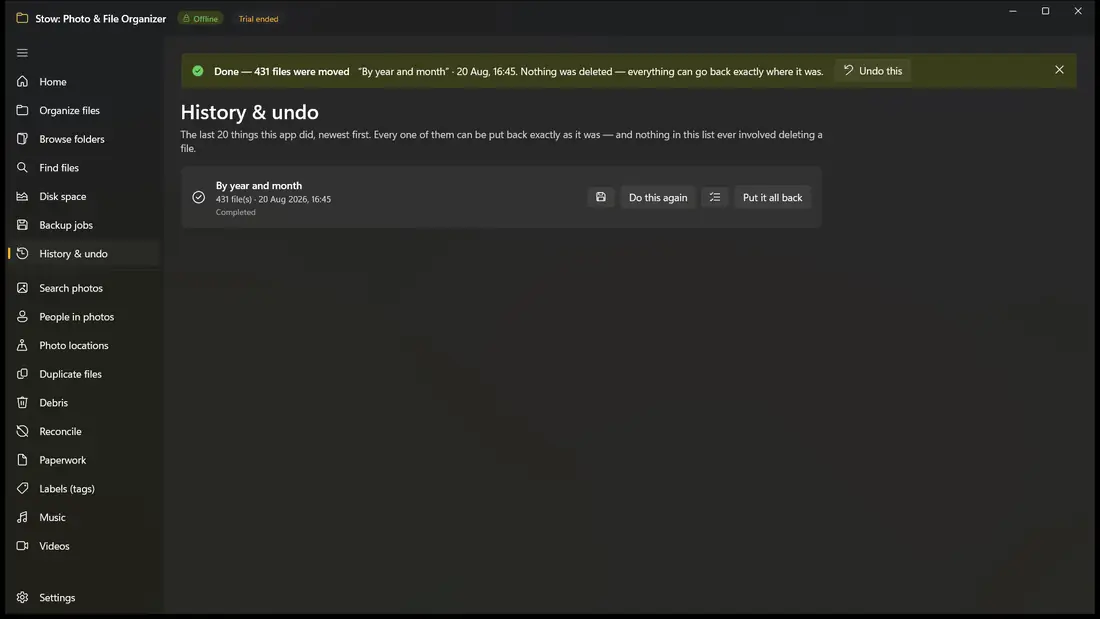
Everything is journaled before disk execution. If you change your mind an hour or a week later, one click reverts your files to their exact previous locations.
Safe with Cloud Folders
Automatically recognizes cloud placeholders (OneDrive, Dropbox, iCloud) and refuses to silently download gigabytes over metered connections.
How It Works
Three simple, transparent steps. Absolute control from start to finish.
Scan & Describe
Point Stow at any folder or drive. Select a 1-click preset, describe your desired arrangement in plain English, or let Stow automatically discover your existing filing conventions.
Preview & Verify
Review the complete proposal table before a single byte moves on disk. Every file has an exact row, proposed path, and governing rule. Filter, edit, or untick any item you prefer to leave untouched.
Apply with 1-Click Undo
Execute the plan with total confidence. Stow writes every operation to an atomic transaction journal first. If you ever change your mind—an hour or a month later—one click reverts everything.
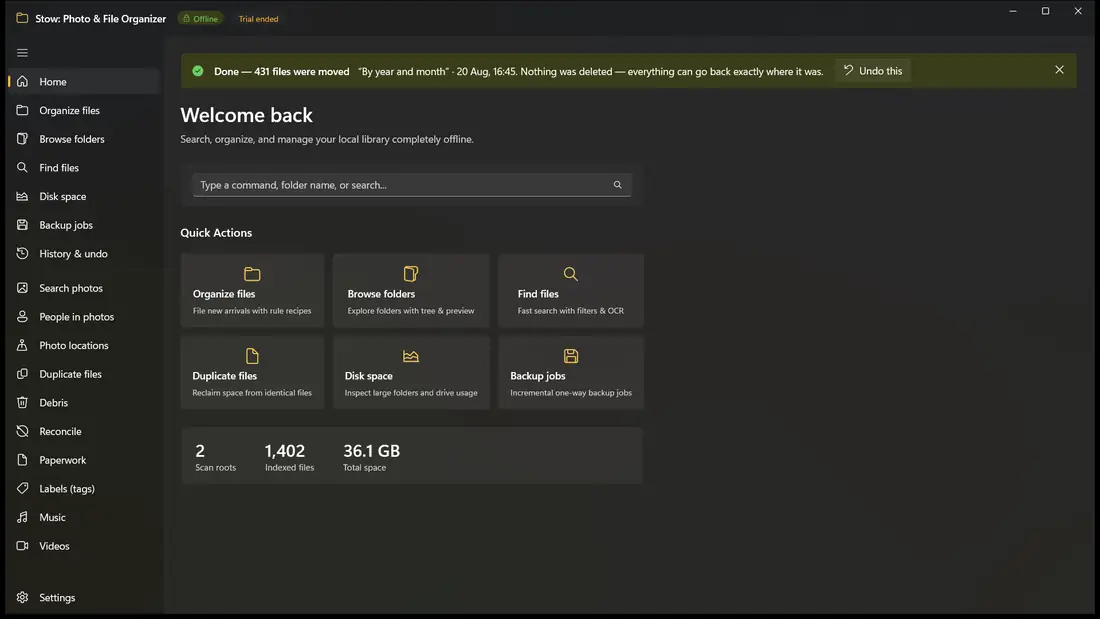
Six screens, no mock-ups
Every picture below is the actual application running on Windows. Nothing here is an illustration.
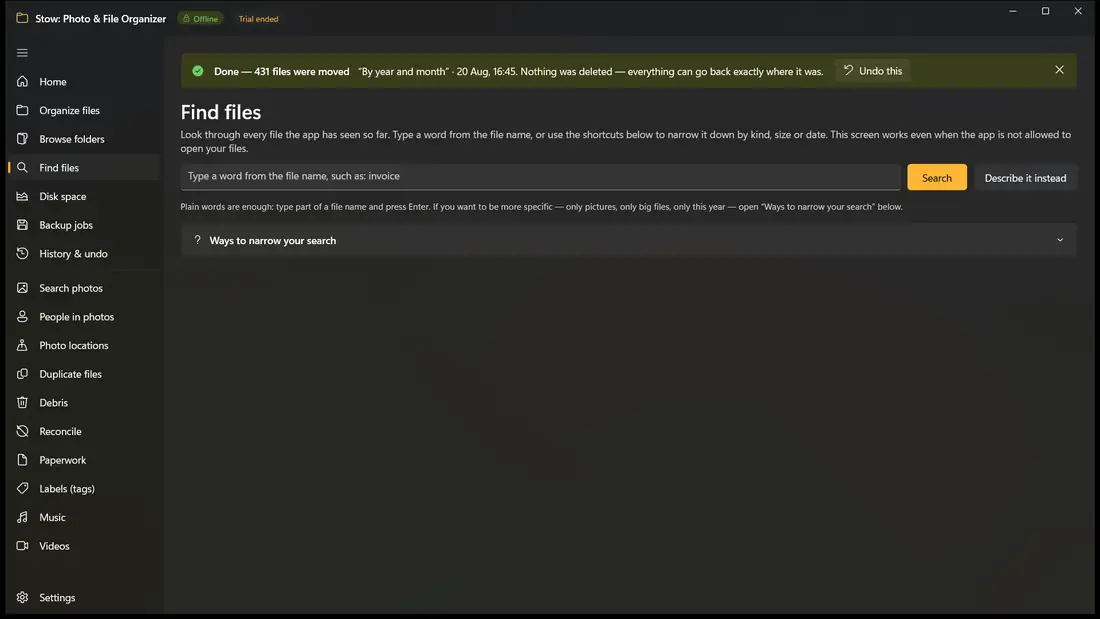
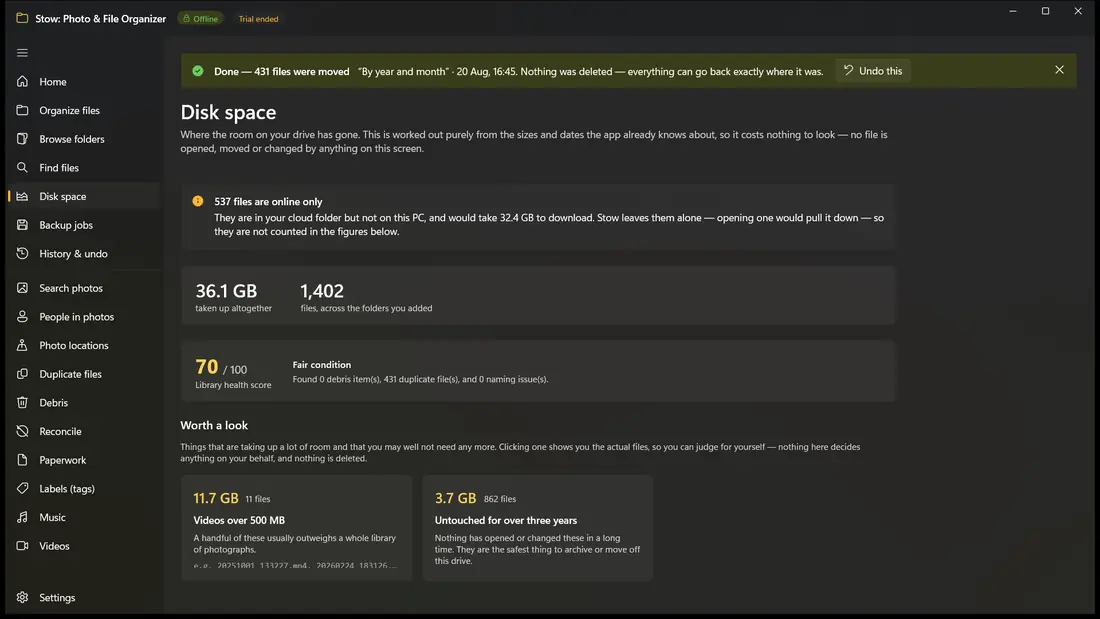
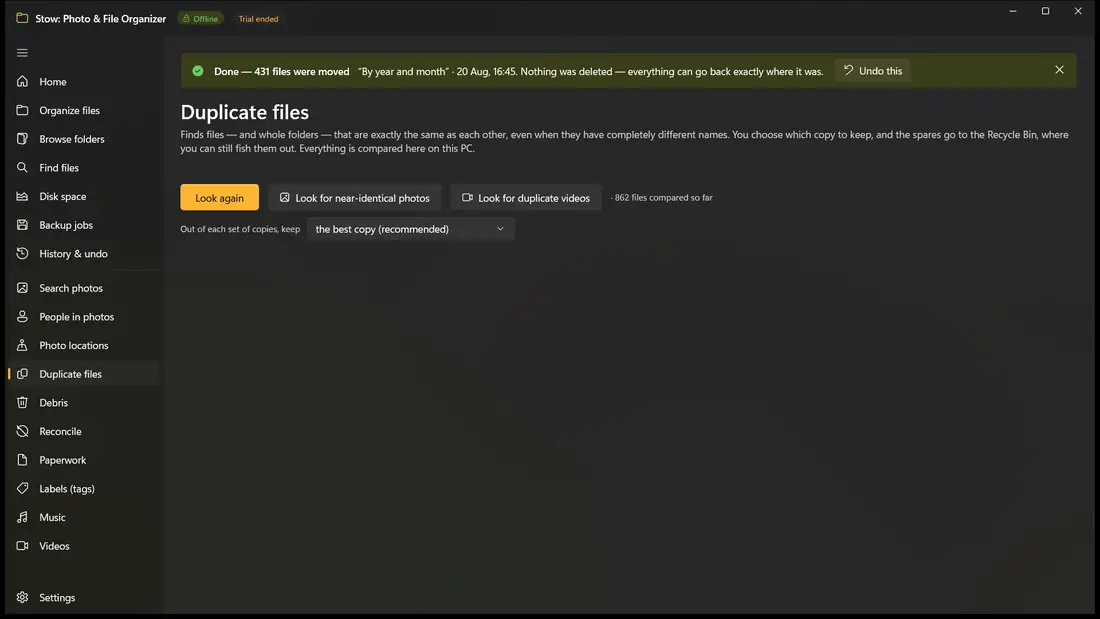
The preview is the actual product
You never find out what Stow decided by watching it happen. You find out by reading a table, before anything moves, in which every single file has a row, a destination, and the name of the rule that claimed it. If it is wrong you close the screen — and nothing has happened.
Files moved
Folders created
Staying put
Left out for safety
Deleted
The last number is pinned at zero, because it is always zero.
| File | Proposed destination | Rule that claimed it |
|---|---|---|
| IMG_20240315.jpg | Pictures\2024\03 - March\ | By year and month |
| invoice-acme-0412.pdf | Documents\Invoices\2024\ | Invoices |
| Screenshot 2024-06-02.png | Screenshots\2024\ | Screenshots aside |
| holiday.mp4 | Videos\2024\ | By file type |
| holiday.srt | Videos\2024\ | Companion file |
| setup_v3.exe | Installers\ | By file type |
Untick any row you would rather leave alone. Filter the list. Export the whole plan to CSV or HTML and check it in a spreadsheet at your desk. Alongside it sits the rejection list: everything the validator refused, each with a readable reason — because “why was this file left alone” is exactly the question a preview exists to answer.
Effortless Organization & Automated Filing
Turn sprawling directories into clean, structured archives using presets, natural language AI, or custom rule systems.
Smart Dashboard & Health Hub
Your library's mission control. Get an immediate assessment of library health—total files indexed, managed storage size, unfiled items, and space reclaimed. Actionable Attention Cards proactively surface newly plugged-in camera SD cards ready for import, pending Downloads waiting to be filed, debris warnings, and backup freshness reminders.
- Instant overview of library storage, unfiled files, and reclaimed gigabytes
- Actionable Attention Cards for SD cards, pending downloads, and junk warnings
- 1-click quick action shortcuts to organize, sweep debris, or reconcile drives
Five Ways to Organize
Choose how you want to work. Use ready-made 1-click presets (by file type, year/month, screenshots aside, camera model); type what you want in plain English to our on-device local language model; let Stow automatically learn and continue your existing folder conventions; craft precise conditions with the Visual Rule Builder; or execute rule-based batch renaming.
- Ready-Made 1-Click Presets: Instant filing by type, date, or camera metadata
- Natural Language AI: Type plain English requests; on-device LLM writes safe rules
- Continue Existing System: Detects and finishes your established folder conventions
- Visual Rule Builder: Fine-grained conditions, destination tokens, and collision logic
- Batch Renamer: Sequential counters, date tags, and pattern text replacement
Folders That File Themselves (Smart Watched Folders)
Attach rules to messy drop zones like your Downloads or Desktop. When new files arrive, Stow stages an organized proposal in the background and gently nudges you with a preview notification—ready to apply in one click without running as an intrusive background daemon.
- Monitors drop zones efficiently without running heavy background services
- Stages clean proposals automatically when new files land in monitored folders
- Always requires one-click user approval—never moves files while you are away
Dual-Pane Library Browser & Universal Preview Pane
A full modern Windows Explorer alternative that solves Windows' biggest omissions with live recursive folder sizes and instant rich previews.
Dual-Pane Library Browser with Live Folder Sizes
Navigate your entire file system with an expandable directory tree and responsive file grid. Stow solves Windows Explorer's biggest limitation by calculating and displaying true recursive folder sizes and item counts directly in the grid, instantly highlighting where storage is concentrated.
- Live recursive folder sizes and item counts calculated directly in the grid
- Dual-pane navigation with expandable directory tree and breadcrumb trails
- Direct file manipulation: create folders, rename, and cut/copy/paste in-place
- Seamless bi-directional drag-and-drop with Windows Explorer and desktop apps
Universal Instant Preview Pane
Inspect any file format immediately without launching heavy external applications. Features photo inspection with EXIF metadata, video player with resolution and codec stats, document reader for PDFs and Word docs, audio player with ID3 metadata, and archive inspection.
- High-res photo inspection with camera model, aperture, ISO, and EXIF stats
- Integrated video player displaying resolution, frame rate, bitrate, and codec
- Instant document reader for PDFs, Word documents (.docx), and text files
- Audio player with ID3 tag metadata, album artwork, and bitrate inspection
- Archive inspector: peek inside ZIP and TAR archives without extracting
Intelligent Cleanup, Debris Sweeper & Deduplication
Reclaim lost gigabytes and eliminate duplicate clutter while keeping your files 100% safe.
Dedicated Debris & Junk Sweeper
Reclaim lost gigabytes from hidden rubbish with a single click. Scans for incomplete/interrupted downloads (.crdownload, .part, .download), editor and OS droppings (.DS_Store, Thumbs.db, temp files), accumulated software installer leftovers (.exe, .msi), heavyweight developer caches (node_modules, bin/obj, .gradle), abandoned unpacked folders, and zero-byte files.
- Reclaims gigabytes from interrupted downloads, temp files, and OS thumbnails
- Cleans old software installer executables accumulating in Downloads
- Purges developer dependency caches (node_modules, gradle, bin/obj)
- Sweeps empty folders and abandoned extracted archive leftovers
- Every cleanup is reviewed in a preview table and safely sent to the Recycle Bin
Exact Duplicate Finder (Files & Folders)
Identifies identical files and entire identical folder trees byte-for-byte, regardless of file names or locations. Four deterministic policies recommend which copy to keep (best quality, oldest, newest, or preferred folder). Spare copies are moved safely to the Recycle Bin.
- Groups identical files and entire mirrored folder trees by content hash
- Catches duplicate folders even with different names ('Photos 2021' vs 'Backup Photos')
- Recycle Bin safety ensures redundant copies can always be restored
Video Near-Duplicate Finder & Photo Sharpness Culler
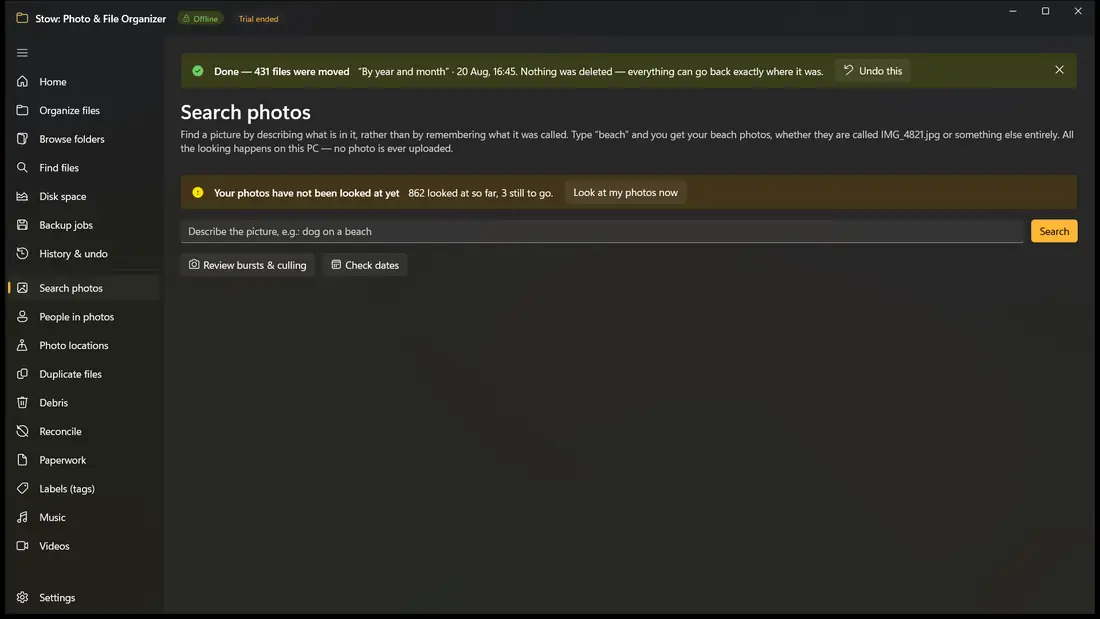
Goes beyond exact duplicates. Spots re-encoded videos, lower-resolution versions (e.g., 1080p vs 720p), trimmed clips, and compressed WhatsApp or messaging video copies. For photos, detects rapid camera burst sequences and analyzes edge sharpness to recommend the crispest shot to keep while flagging blurry shots.
- Video near-duplicate detection catches re-encoded, resized, and trimmed videos
- Photo burst sequence grouping identifies continuous camera action shots
- Edge and sharpness analysis flags blurry, out-of-focus, or camera-shake photos
Paperless Documents, Audio Curation & Photography
Transform chaotic paper piles and untagged media collections into beautifully structured libraries.
Scanned Paperwork to Multi-Page PDF
Transforms camera photos of receipts, statements, tax letters, and utility bills into a clean digital filing cabinet. On-device local OCR extracts text without sending documents to cloud APIs. Smart classification detects document kind (Receipt, Invoice, Tax Form, Utility Bill, Bank Statement, Contract) and issuing organization, bundles multi-shot photographed pages, and standardizes file names.
- 100% on-device OCR extracts text locally without cloud privacy risks
- Smart classification categorizes document types and issuing entities
- Multi-shot bundling merges sequential pages into a standardized, searchable PDF
- Consistent auto-naming (e.g., '2024-03-15_BankOfAmerica_Statement.pdf')
Music & Audio Library Curation
Reads and indexes ID3 and audio tags across MP3, FLAC, M4A, WAV, and OGG formats. Distinguishes Track Artist from Album Artist so multi-artist compilation albums stay in a single unified folder rather than fragmenting. Includes a built-in audio tag editor to repair missing or mismatched metadata.
- Comprehensive ID3 & tag indexing across MP3, FLAC, M4A, WAV, and OGG
- Album Artist grouping prevents compilation and soundtrack album fragmentation
- Built-in batch tag editor repairs missing tracks, artists, years, and album art
Offline Vector World Map & SD Card Import
Explore where your photos were taken on an interactive vector world map rendered completely offline—without loading external web map tiles or sharing GPS coordinates. Automatically detects plugged-in memory cards or cameras for 1-click import with RAW + JPEG companion grouping.
- Interactive vector world map plots geotagged photos on a 100% offline canvas
- Smart camera & SD card detection with 1-click import workflows
- Strict companion file preservation keeps RAW+JPEG and video+subtitles linked
Storage Reclaim, Differential Sync & Windows Integration
Enterprise-grade safety, differential drive reconciliation, and tight Windows OS synergy.
Directed Folder Reconcile & Differential Sync
Solves the common question: 'What is on my external backup drive that isn't already in my primary library?' Compares two folder trees or drives and categorizes files into Missing on Destination, Identical, or Conflicted/Modified. Prepares a clean, safe copy plan to bridge the gap without deleting unverified files.
- Compares two folder trees or drives to identify gaps and discrepancies
- Categorizes files into Missing on Destination, Identical, or Conflicted
- Safe copy plan bridges the gap without executing destructive mirror-deletions
Non-Destructive Backup & Bit-Rot Integrity Verifier
Set up one-click or scheduled backups of important libraries to external drives or secondary disks. Copies new and updated files without mirroring destructive deletions from the source. Built-in bit-rot verifier re-checks SHA-256 checksums between source and backup to detect disk corruption or failing storage sectors.
- Non-destructive backup jobs copy new files without mirroring deletions
- Bit-rot integrity verifier re-checks SHA-256 hashes to detect disk corruption
- Safe restore planner previews and restores files to original or recovery folders
Whole-Volume Space Map & Junction Relocation
Visualizes disk space across entire drives (C:, D:) to find massive space hogs outside your scan roots (like TreeSize or WizTree). Move massive folders (e.g., a 400 GB Pictures library) to a secondary drive; Stow automatically creates an NTFS Directory Junction at the original location so shortcuts and applications keep working without breakage. Reclaim system temp and update cache space.
- Drive-wide visual space map identifies huge folders across full drives
- NTFS Directory Junctions allow moving giant folders without breaking app links
- System Space Reclaim identifies reclaimable Windows temp folders and caches
Deep Windows Integration & Portable Profiles
Engineered specifically for Windows. Right-click any folder in Windows Explorer to 'Organize with Stow' or 'Find duplicates'. Press Win+Shift+F anywhere to summon the Global Quick Launcher. Batch-unblocks downloaded documents with Mark of the Web (Zone.Identifier), automatically repairs Desktop/Start Menu shortcuts when files move, and exports portable JSON profiles to set up new PCs in seconds.
- Windows Explorer right-click context menu integration
- Global Quick Launcher hotkey (Win+Shift+F) for instant system search
- Mark of the Web (Zone.Identifier) batch unblocker for downloaded files
- Move-aware shortcut repair keeps Desktop and Start Menu links working
- Export portable JSON profiles to migrate rules and recipes to new PCs
How Stow Compares
Why desktop users choose Stow over scriptable tools and cloud services.
| Feature & Safety Guarantee | Stow (Dhinovatech) | Traditional Tools / Scripts | Cloud Services |
|---|---|---|---|
| Privacy & Data Confidentiality | 100% Offline • Zero telemetry, accounts, or cloud servers | Offline, but lacks intelligent automation & AI | Files and metadata uploaded to remote corporate servers |
| Cloud Upload Required | Zero bytes uploaded (All processing is strictly on your PC) | None (local only) | Mandatory sync (requires gigabytes of bandwidth) |
| On-Device Local AI | Local CPU vision, OCR & Phi-4 language models via ONNX | None (static regex or basic shell scripts) | Server-side proprietary black-box models |
| Mandatory Preview Table | Guaranteed preview table before any file is touched | Blind execution or risky batch script runs | Opaque background sync with no pre-review |
| 1-Click Transactional Undo | Instant rollback via pre-execution atomic journal | Manual recovery; scripts are non-reversible | Complex version history or permanent loss |
| Cloud Placeholder Safety | Detects OneDrive/iCloud/Dropbox; never forces downloads | Unaware; often triggers massive accidental downloads | Vendor-locked cloud silos |
| Deduplication & Near-Dupes | Byte-for-byte folders, video near-dupes & photo sharpness | Basic exact filename or single-file hash duplicates only | Basic photo duplicates only; no video or folder deduplication |
| Bit-Rot & Integrity Verifier | Built-in SHA-256 backup verification to catch disk failure | Requires complex manual command-line utilities | Opaque proprietary cloud storage |
| Pricing & Licensing | One-time Microsoft Store purchase • Lifetime ownership | Free utilities or fragmented paid tools | Expensive recurring monthly/annual subscription fees |
Four models, none of them shipped inside the installer
Each is downloaded on first use of the feature that needs it, only after you have been shown the size and agreed, and each is verified against a SHA-256 hash pinned in the source. Every download URL is pinned to an immutable upstream commit, so the bytes fetched are always the bytes the hashes were taken from.
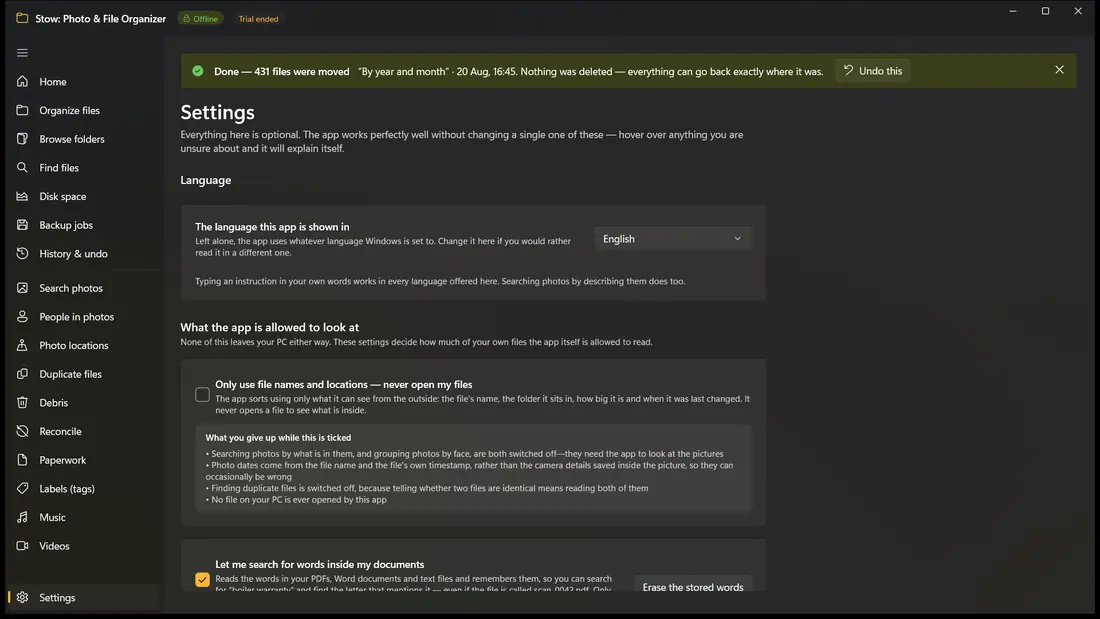
Declining leaves a fully working product: the presets, the manual builder, the convention learner, search, the space report, labels and duplicate detection need no models at all. Inference runs on the CPU via ONNX Runtime — no NPU or GPU provider is registered, and the application does not use the AI models built into Windows.
| Model | What it does | Licence | Size |
|---|---|---|---|
| SigLIP-2 base patch16-224 | Searching photos by what is in them | Apache-2.0 | 365 MB |
| YuNet | Detecting that a region of a photo is a face | MIT | 227 KB |
| SFace | Producing a vector so two faces can be grouped | Apache-2.0 | 37 MB |
| Phi-4-mini-instruct (INT4 CPU) | Turning a typed instruction into rules | MIT | 4.59 GB |
What Stow is not
- Not a cloud photo service. It will not back anything up, sync anything between machines, or put a copy of your library anywhere but your own disk.
- Not a duplicate remover that empties itself. Nothing is destroyed; the most it will ever do is put spare copies in the Recycle Bin at your request.
- Not an automation daemon. It will notice files arriving in a watched folder, but it will not file them while you are not looking.
- Not a black box. Every proposal comes with the rule that produced it, every rejection with an explanation, and the entire plan can be read in a spreadsheet before a single file moves.
Who it is for
The person with a Downloads folder that has become a landfill and a Pictures folder holding a decade of three different phones. The person who set up a filing system in 2019, kept it beautifully for four months, and would like the last five years put away the same way. The photographer who needs RAW and JPEG to stay together and needs to find the near-duplicates without uploading forty thousand images to anybody. And, running through all of them, the person who is not willing to send their personal files to a company’s servers in order to tidy them up.
Frequently Asked Questions
Clear answers about Stow's privacy architecture, offline AI, file safety, and compatibility.
Stow: AI Photo & File Organizer, Duplicate Finder
The 100% offline, privacy-first desktop file management suite that organizes, deduplicates, cleans, and protects your files without ever uploading a single byte to the cloud.
US$4.99 one-timeBuy it outright today — or try the full app free for 15 days first. No subscription, no account.
Honest limits
Inference is CPU-only, so the first indexing pass over a large library is slow, and it is deliberately throttled further while running in the background. Model output can be wrong: a misread instruction produces an incorrect plan, which is precisely why the preview and the undo journal exist and why nothing is ever applied unattended. Face grouping works on resemblance alone and can group two people who look alike, or split one person across several groups.