 Duplicate Photo & File Finder
Microsoft Store · Windows 10 & 11
Duplicate Photo & File Finder
Microsoft Store · Windows 10 & 11
KeepOne Remove duplicate photos and files, safely.
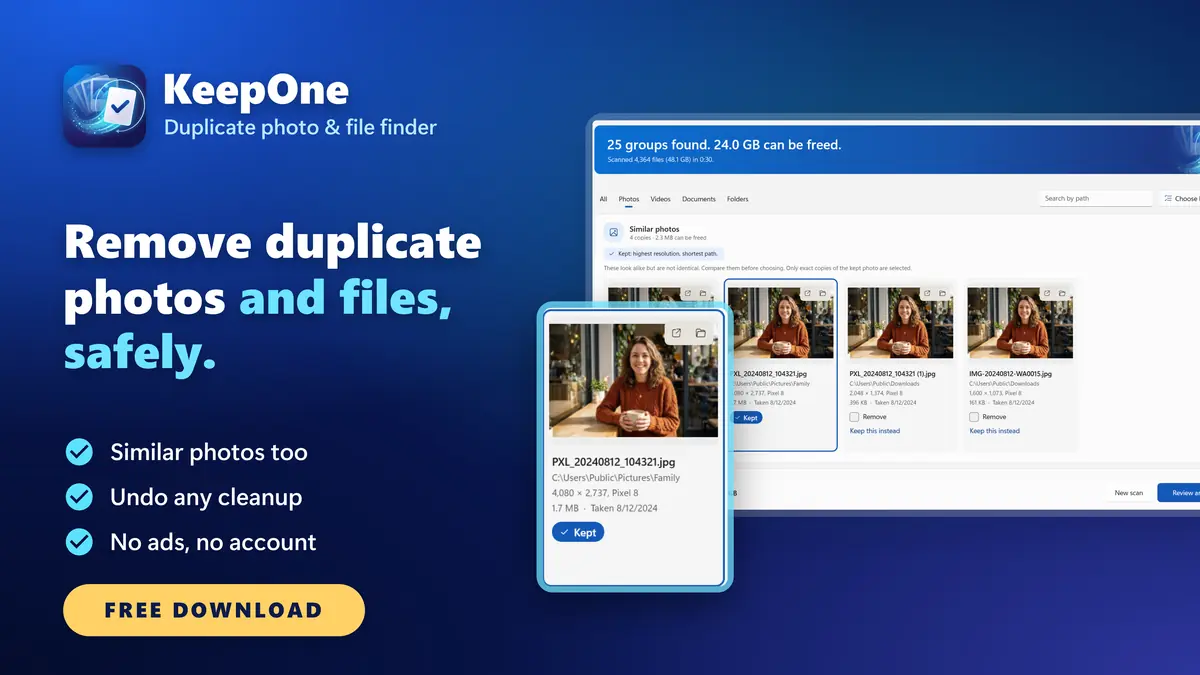
Find and remove duplicate photos, similar photos, videos, files and folders to free up disk space. Every exact match is checked byte for byte, removed files go to the Recycle Bin and any cleanup can be undone. No ads, no account. Free download.
Free downloadOne-time upgrade, no subscription
KeepOne at a glance
KeepOne is a duplicate photo finder and duplicate file cleaner for Windows. It finds duplicate and similar photos, duplicate videos, documents, any other file and whole copied folders, keeps one of each and frees up disk space, safely: every exact match is confirmed byte for byte, removed files go to the Recycle Bin, and every cleanup can be undone. Free download.
- What it is
- A duplicate photo and file finder for Windows 10 and Windows 11
- Finds
- Exact duplicates of any file, similar photos, duplicate videos and duplicate folders
- Price
- Free download. Removing more than 100 files or 1 GB is a one-time in-app purchase, with no subscription
- Safety
- Every exact match confirmed byte for byte. Removed files go to the Recycle Bin, never deleted permanently
- Undo
- Any of your last 20 cleanups, with one button
- Privacy
- No account, no ads, no telemetry. KeepOne makes no network connections of its own
- Works on
- Windows 10 (version 2004 or later) and Windows 11, on x64 and ARM64 PCs
- Languages
- 23, including Arabic and Hebrew
- Made by
- Dhinovatech, on the Microsoft Store
Every kind of duplicate. Keep one of each.
Photos copied from several phones, the same video saved from a chat and from Downloads, a folder copied as a quick backup, the same PDF downloaded three times: after a few years, gigabytes of every PC are copies. KeepOne finds them, shows you which copy it keeps and why, and removes the rest only when you say so.
Duplicate photos
Exact copies, whatever their names
Similar photos
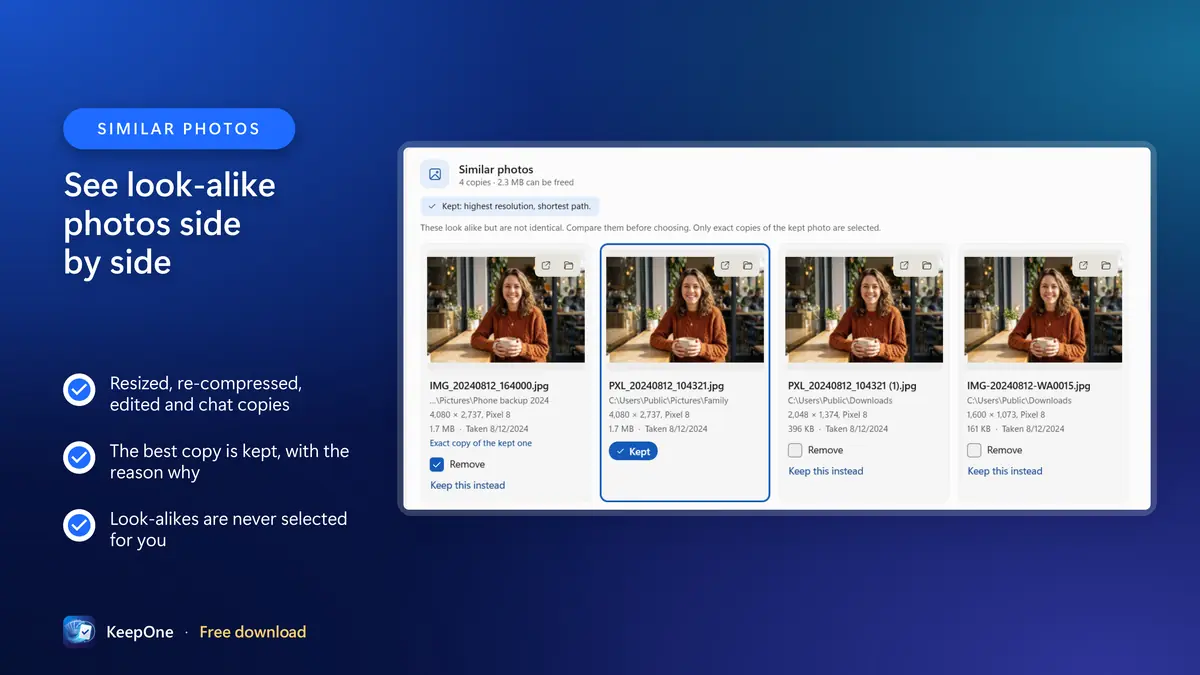
Resized, edited and chat copies, side by side
Duplicate videos
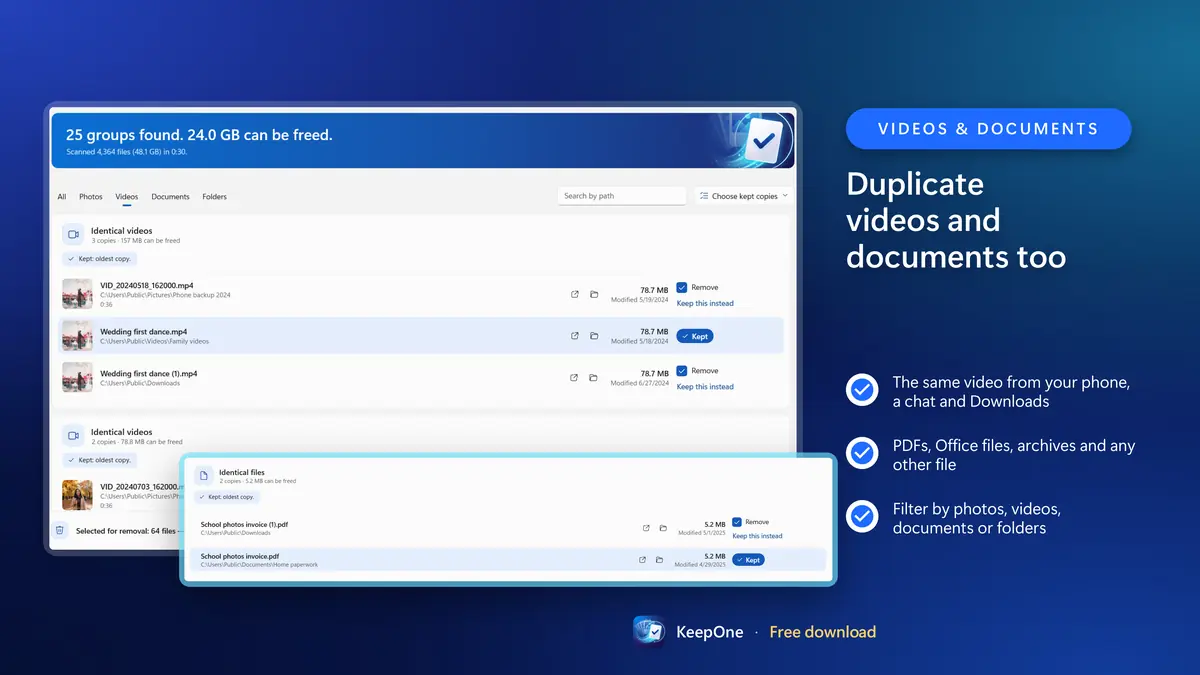
The same clip saved twice
Any file
PDFs, Office files, archives, music
Duplicate folders
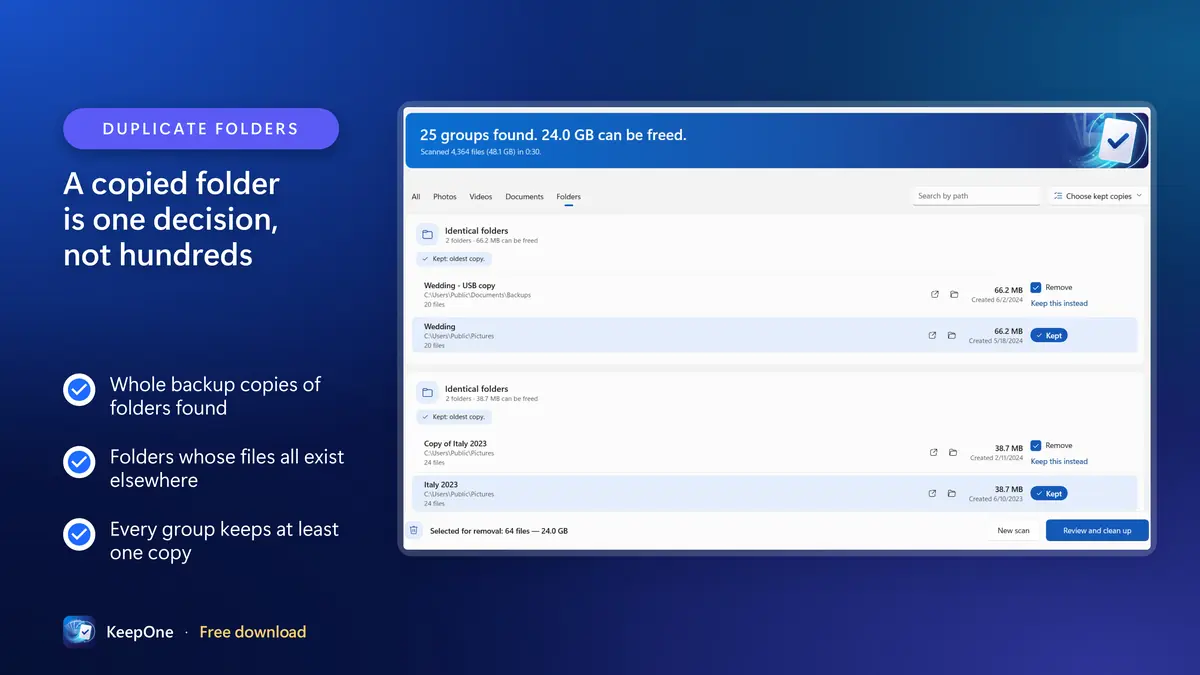
A copied folder is one decision
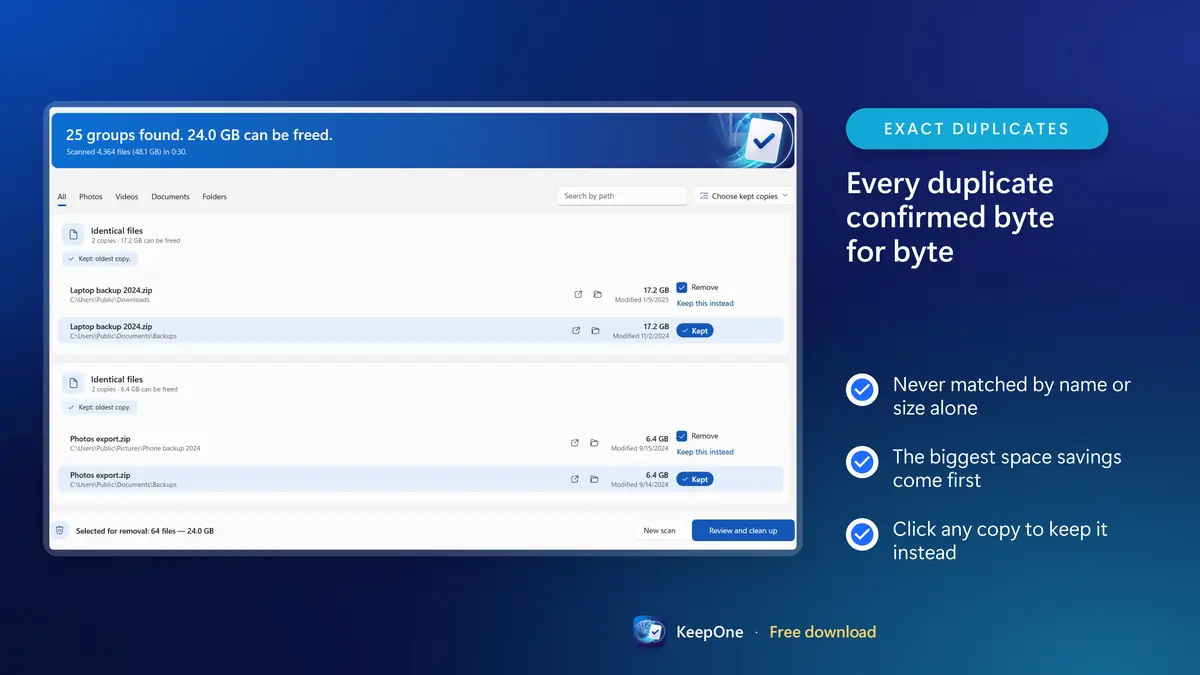
Byte-for-byte check
Never matched by size alone
Undo any cleanup
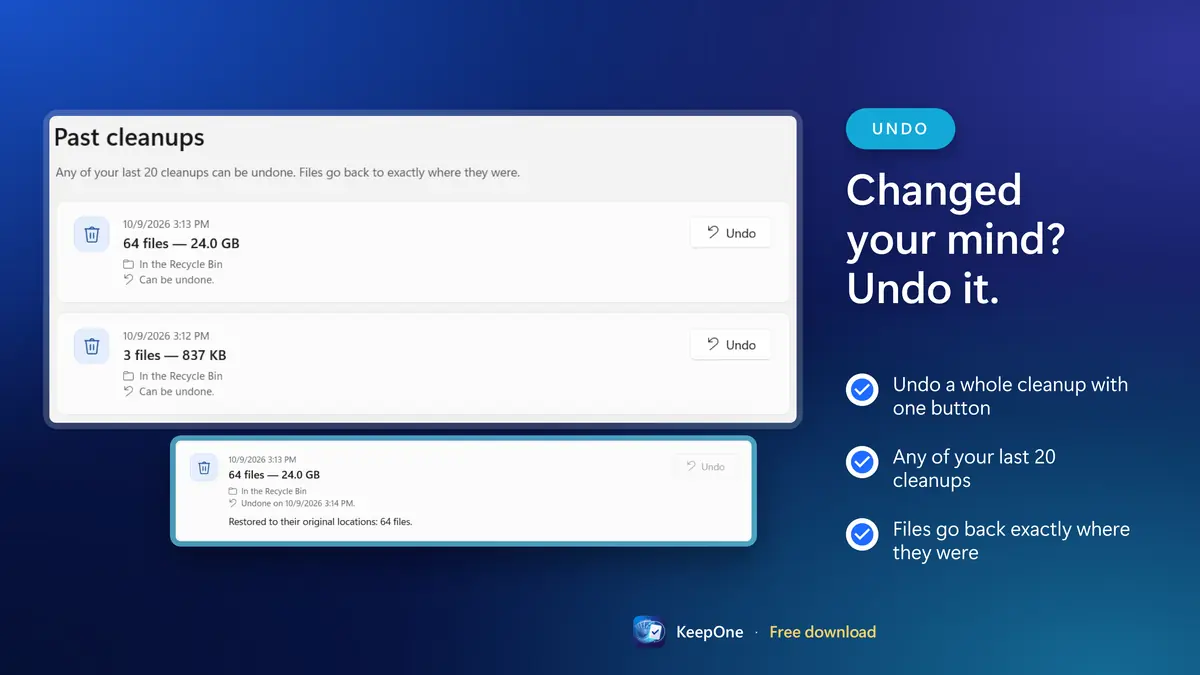
Your last 20 cleanups, one click away
Stays on your PC
No account, no ads, no tracking
See KeepOne at work
Free downloadOne-time upgrade, no subscription
Why another duplicate finder?
Many duplicate finders share the same problems. Some group files that merely have the same name or size, which is not the same as being identical. Some select files automatically and delete them for good with one click. Some hide their best features behind a subscription, fill the screen with ads, or ask you to create an account before you can scan a folder on your own computer.
KeepOne was designed to be the opposite: careful by default, clear at every step, private, and honest about what is free. It is the kind of tool you can hand to a family member without worrying that they will lose the only copy of their wedding photos.
Careful by default
Every match is confirmed byte for byte, every group keeps a copy, and removed files go to the Recycle Bin.
Clear at every step
Plain language, the reason each copy is kept, and exact numbers before anything moves.
Private
No account, no sign-in, no ads and no telemetry. Your files and results stay on your PC.
Honest about what is free
Scan every drive for free. The limit is stated before you scan, and one purchase removes it.
Nothing is ever deleted for good
Safety in KeepOne is not a dialog box asking “Are you sure?” It is built into the engine that does the work, and it applies whatever you click.
Exact duplicates are confirmed byte for byte. Files that only share a name or a size are never grouped.
Every group keeps at least one copy. KeepOne never removes the last one, whatever is selected.
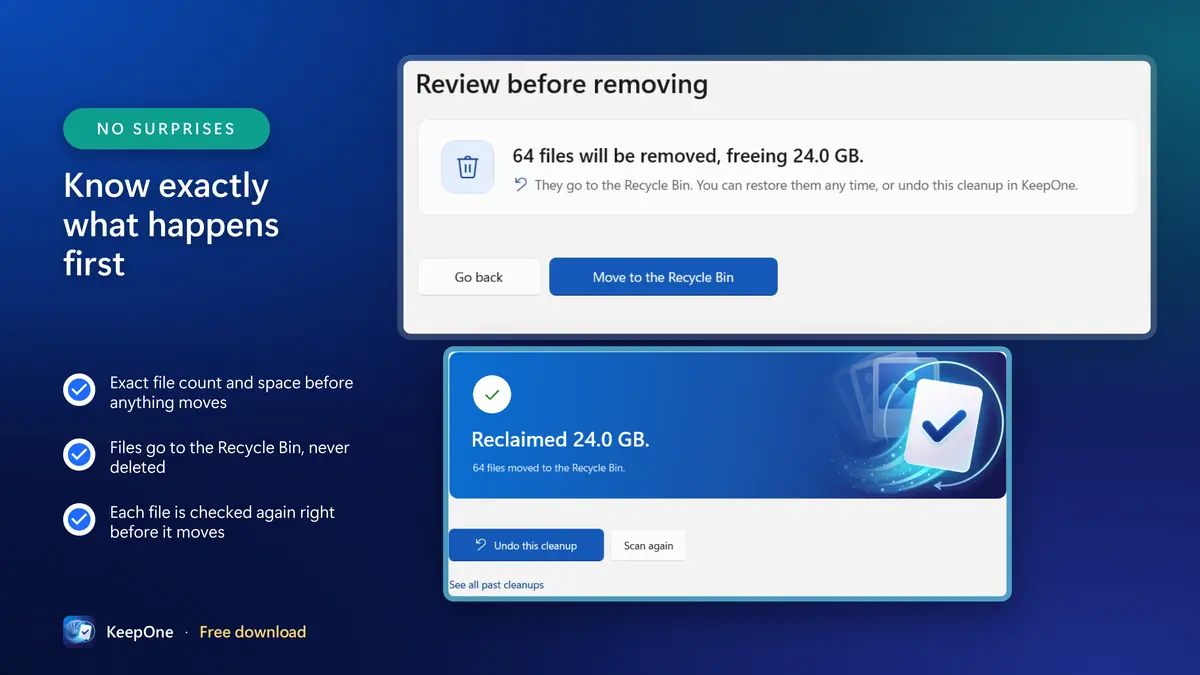
Removed files go to the Recycle Bin, never deleted permanently. If the Recycle Bin can't take a file, it goes to KeepOne's quarantine folder instead.
Right before each file moves, KeepOne checks it and the copy being kept again. If anything changed since the scan, it is left alone.
Undo any of your last 20 cleanups: files go back to exactly where they were.
Windows and program folders are never touched, and cloud files that are not downloaded are never opened.
The tricky details, handled
- When the Recycle Bin cannot safely take a file (a network or removable drive, a very long path, a very large file), KeepOne moves it to its own quarantine folder instead of letting Windows silently delete it.
- The quarantine folder keeps each file under its original folder structure, and it is kept even if you uninstall KeepOne, because those files are yours.
- Hard links count as one file, not as duplicates. Junctions and symbolic links are never followed, and very long paths are fully supported.
- Every cleanup is recorded before and after it happens, so even after a power cut you always know where every file went.
Finds more than identical files
Exact copies are only part of the story. Before each scan, you choose which kinds of duplicates to look for.
Duplicate photos
Exact copies, whatever their names or folders.
Similar photos
Resized, re-compressed, edited and rotated copies, and copies saved from chat apps, shown side by side so you can compare them. Look-alikes are never selected for you.
Duplicate videos
The same clip saved from your phone, a chat and Downloads.
Duplicate documents and any other file
PDFs, Office files, archives, music, installers.
Duplicate folders
A backup copy of a whole folder is one decision, not hundreds. Folders whose files all exist in another folder are found too.
Every photo format
HEIC, RAW, JPEG, PNG, WEBP and more, through the image support built into Windows.
Similar photos: you choose how strict
Look-alike photos are not true copies, so they are shown side by side with their resolution, date taken, size and location, and never selected for you. Only exact copies of the photo you keep are selected automatically.
Three steps, and you decide each one
Choose what to scan
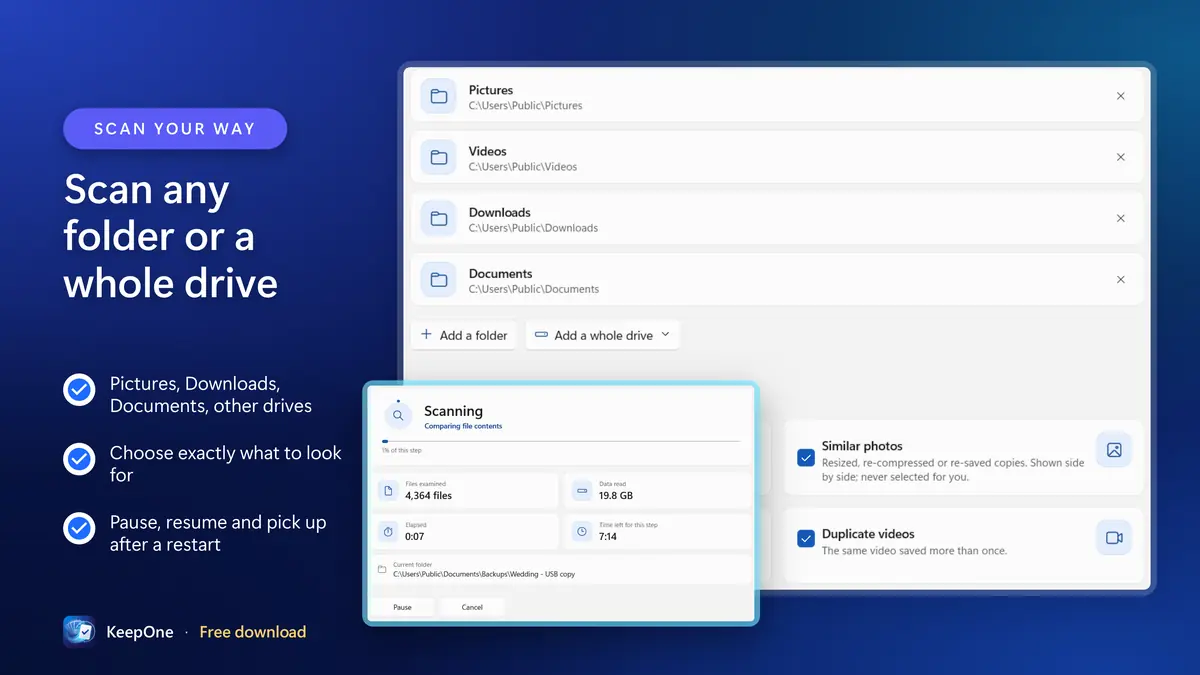
Add Pictures, Downloads, an external drive or any other folder, plus folders to skip, and pick the kinds of duplicates to look for.
Review each group
Each group says which copy it keeps and why. Compare look-alikes side by side, choose “Keep this instead”, or apply one rule to every group at once.
Clean up, undo if you like
See how many files, how much space and where they will go. Files move to the Recycle Bin, and any of your last 20 cleanups can be undone.
Free downloadOne-time upgrade, no subscription
Free to try, one purchase to unlock
Scan every drive you own and see exactly how much space duplicates take, without paying anything.
Free version
Free
- Scanning, results and side-by-side review are never limited
- History and undo are never limited
- Undoing a cleanup gives its files and space back to your allowance
- While any allowance is left, you can always remove one file whatever its size, so you can try it on a large video
KeepOne, unlocked One-time
One purchase inside the app
- No subscription
- Handled by the Microsoft Store, so it stays with your Microsoft account
- Supports the continued development of KeepOne by Dhinovatech
Scanning, results, side-by-side comparison, history and undo are never limited. The free version removes up to 100 files or 1 GB in total, whichever comes first, so you can see for yourself that removal and undo are safe. To remove without a limit, unlock KeepOne once with an in-app purchase. There is no subscription.
KeepOne states the free limit on its first screen, before you scan. The price of the upgrade is shown in the app, in your own currency.
Built for large libraries
Clear at every step
- Each group says which copy is kept and why, for example "Kept: highest resolution, oldest copy". Click any other copy to keep it instead.
- One-click choices: keep the newest copy, the highest-resolution copy or the copy in a folder you choose.
- Filter by photos, videos, documents or folders, and search by path.
- Before anything happens, KeepOne tells you exactly how many files and how much space, and where they will go.
- Scans run in the background and can be paused. If KeepOne is closed or the PC restarts, the scan picks up where it stopped.
Fast on hundreds of thousands of files
- Scan folders or whole drives, including external drives, with folders to skip.
- Files are compared by size first, then by a quick check; only real candidates are read in full.
- Faster the second time: KeepOne remembers what it has already checked.
- Keep using your PC while it scans, and pause or resume at any time.
- If KeepOne is closed or the PC restarts mid-scan, it offers to carry on where it stopped.
Private by design
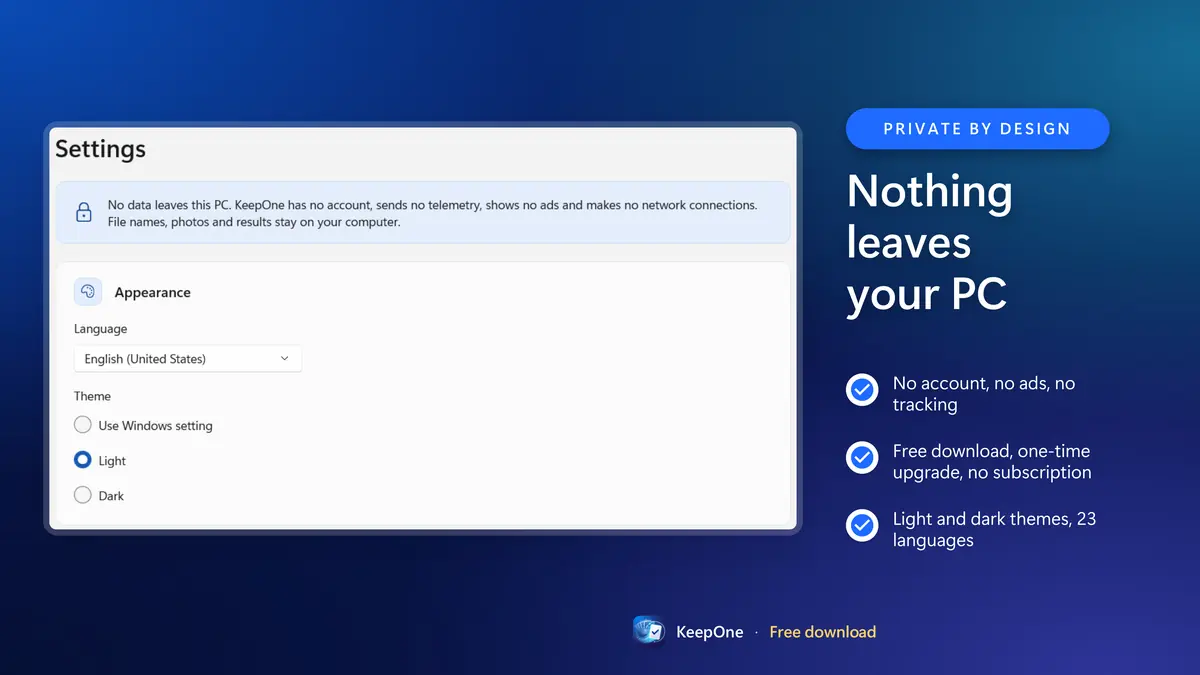
No account, no sign-in, no ads, no tracking, no telemetry. KeepOne makes no network connections: your file names, photos and results never leave your PC.
Privacy PolicyMade for Windows
- Windows 10 (version 2004 or later) and Windows 11
- x64 and ARM64 PCs, including Windows on Arm laptops
- Light and dark themes, following your Windows setting
- 23 languages, including right-to-left Arabic and Hebrew
- Installed from the Microsoft Store, so updates and uninstall are handled by Windows
All features
- Duplicate photo finder: exact copies, whatever their names or folders
- Similar photo finder: resized, re-compressed, edited and rotated copies, side by side
- Duplicate video finder
- Duplicate file finder for documents, archives, music and any other file
- Duplicate folder finder: a copied folder is one decision, not hundreds
- Every exact match confirmed byte for byte
- Removed files go to the Recycle Bin, never deleted permanently
- Undo any of your last 20 cleanups with one click
- Every group always keeps at least one copy
- A plain reason for every copy kept
- Keep the newest, highest-resolution or preferred-folder copy in one click
- Exact numbers before anything happens
- Each file checked again right before it moves
- Pause, resume and pick up after a restart
- Filter by photos, videos, documents or folders
- HEIC, RAW, JPEG, PNG, WEBP and more
- Never touches Windows or program folders, or cloud-only files
- Handles very long paths and hard links correctly
- No ads, no account, no tracking: nothing leaves your PC
- Light and dark themes, 23 languages
Frequently asked questions
Remove duplicate photos and files, safely.
Photos copied from several phones, the same video saved from a chat and from Downloads, a folder copied as a quick backup, the same PDF downloaded three times: after a few years, gigabytes of every PC are copies. KeepOne finds them, shows you which copy it keeps and why, and removes the rest only when you say so.
Free downloadOne-time upgrade, no subscription