 Microsoft Store · Windows 10 & 11
Smart PhotosThe private Google Photos alternative for Windows
Smart like the cloud, but private and local: search photos in your own words, see every face grouped, relive trips on an offline map and clear out duplicate photos, with AI that runs on your PC. Moving from Google Photos or iCloud? Bring it all. Try it free for 15 days.
15-day free trialEvery feature unlocked. No account, no subscription.
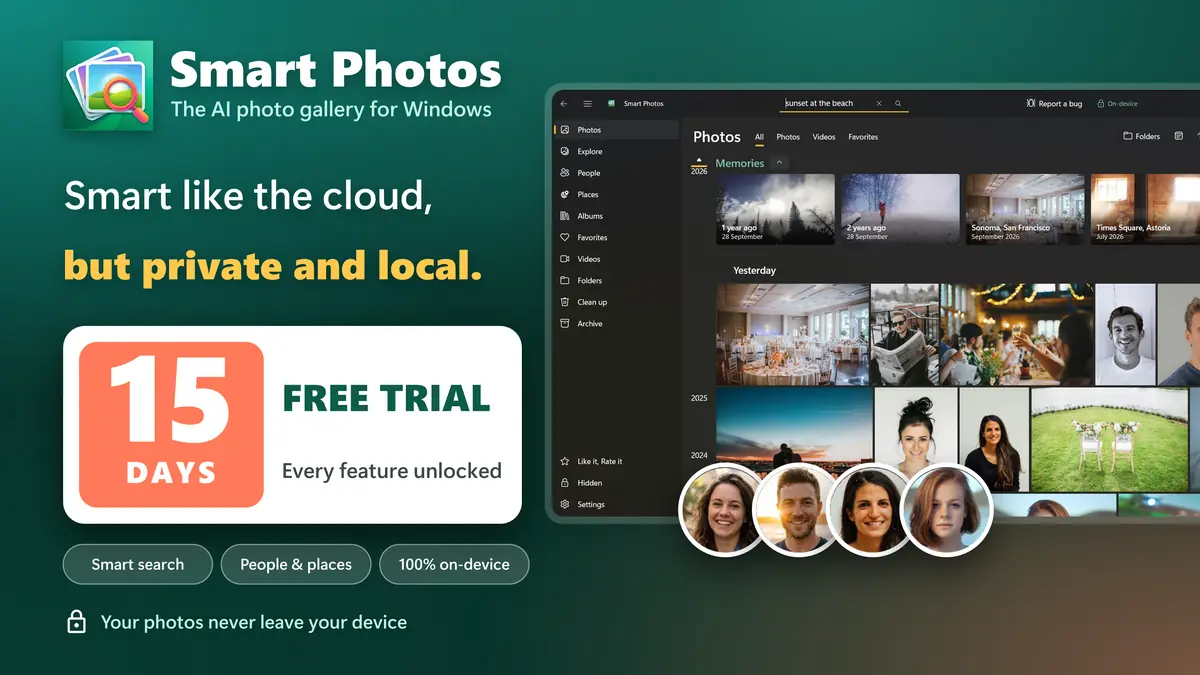
A smart gallery that lives on your PC
Screens from Smart Photos for Windows, in your language.
Everything you liked about Google Photos, on your own PC
Search, people, places and Memories, all powered by AI that runs on your computer.
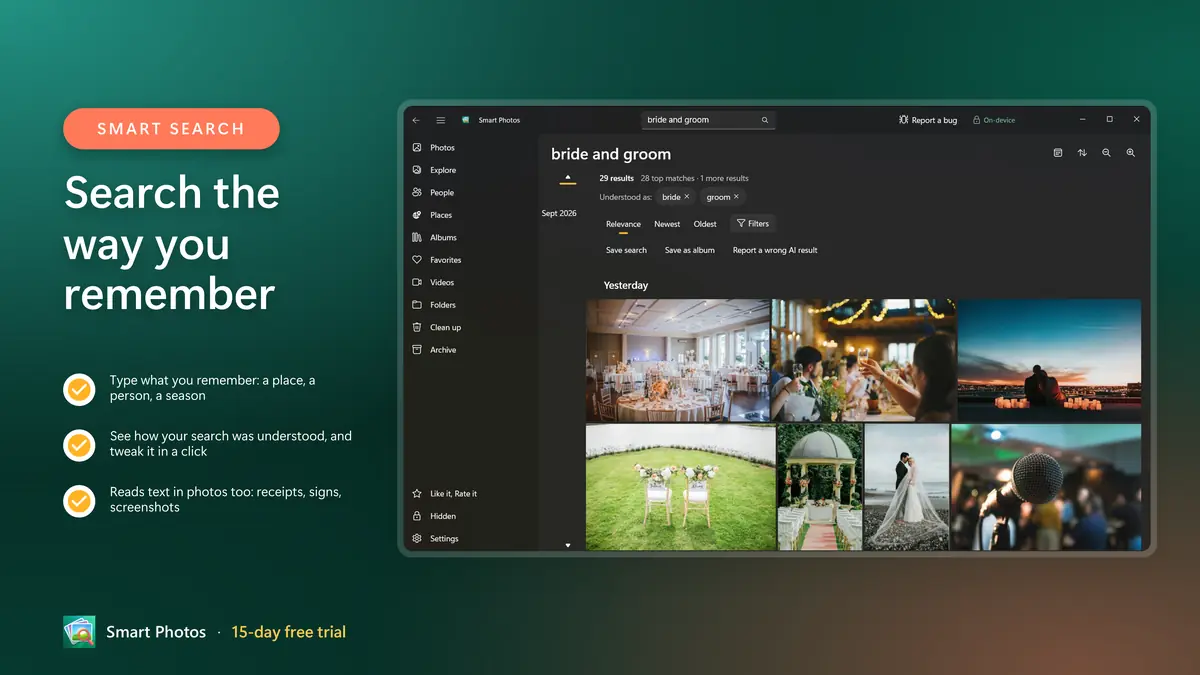
Search the way you remember
Type "sunset at the beach last summer", "Maya's birthday", "dog in the snow" or "receipts from March" and see the photos straight away. Smart Photos understands dates, holidays, seasons, places, people, what is in the picture and the text in it, and shows how it read your search so you can adjust it with a click.
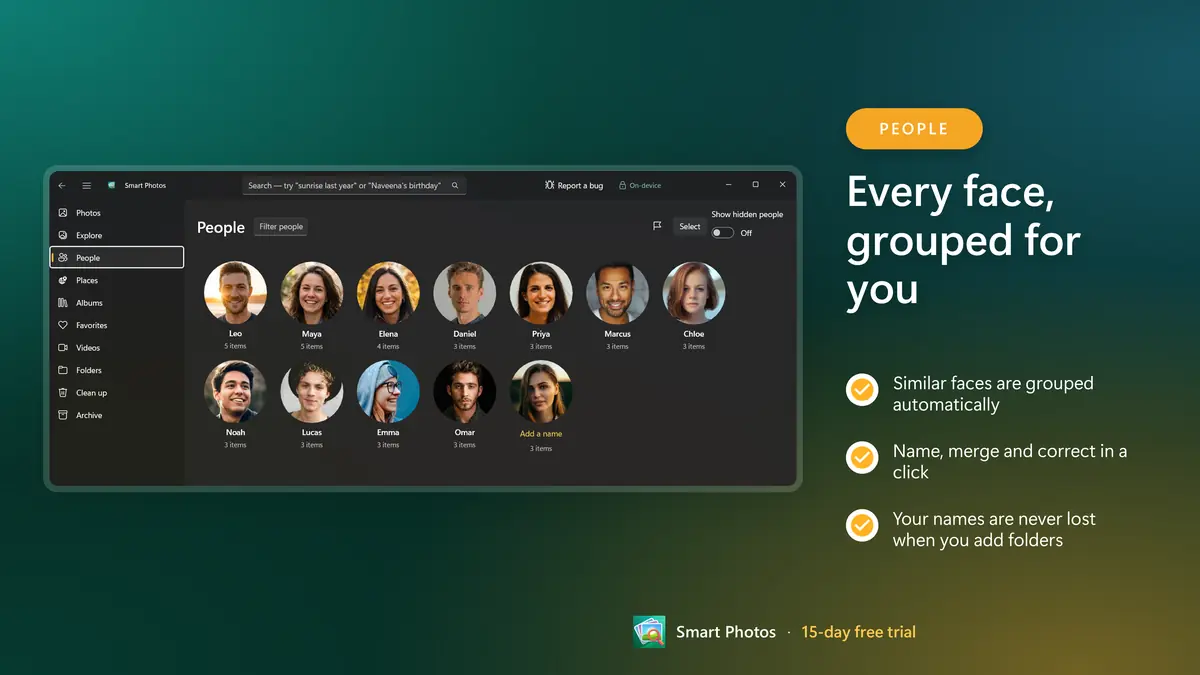
People, your way
Similar faces are grouped for you to name. Merge, split and correct in a click; your names and corrections are never lost when you add folders or update the app.
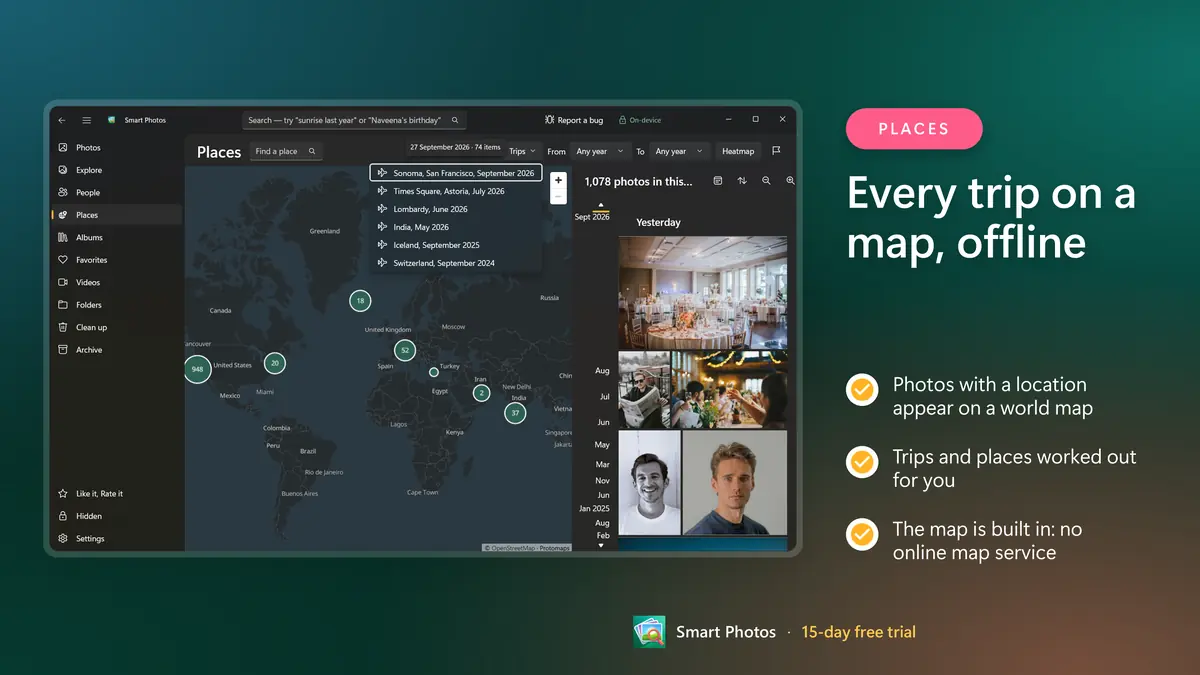
Every trip on a map
Photos with a location appear on a built-in offline world map, with trips and places worked out for you.
A fast photo and video viewer
Zoom in, compare two shots side by side, find similar photos, watch live and motion photos move and play videos with subtitles. Start a full-screen slideshow from any album, memory or selection, and print, share or set a photo as your desktop background or lock screen.
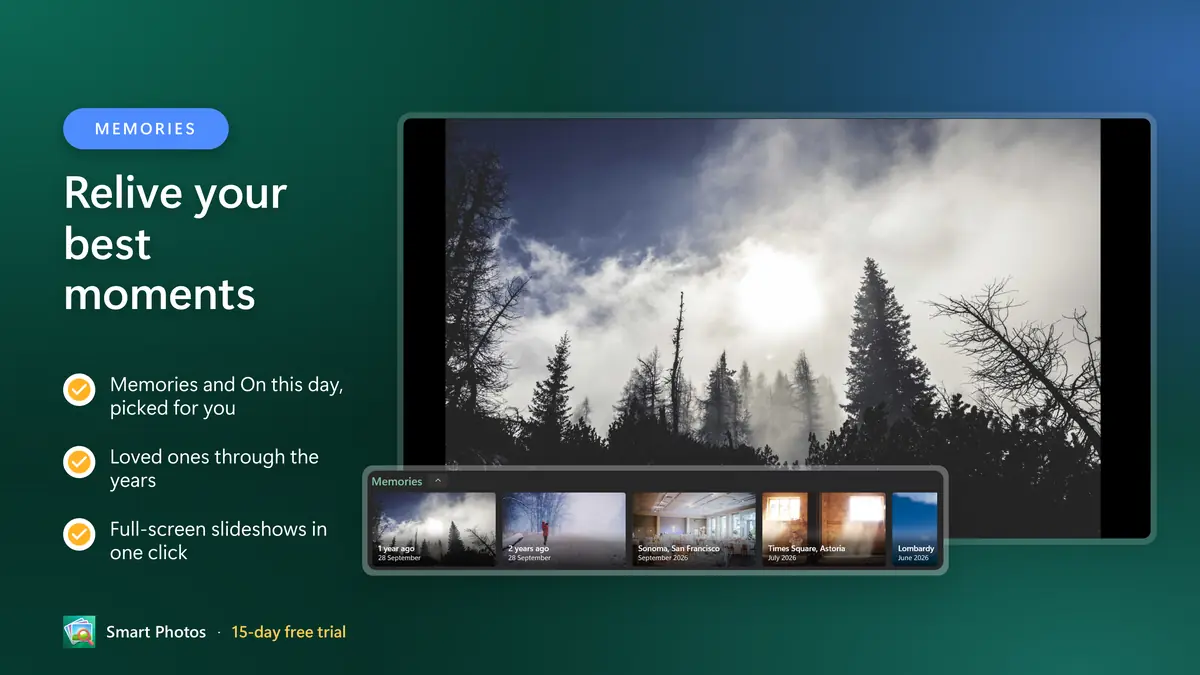
Memories and albums
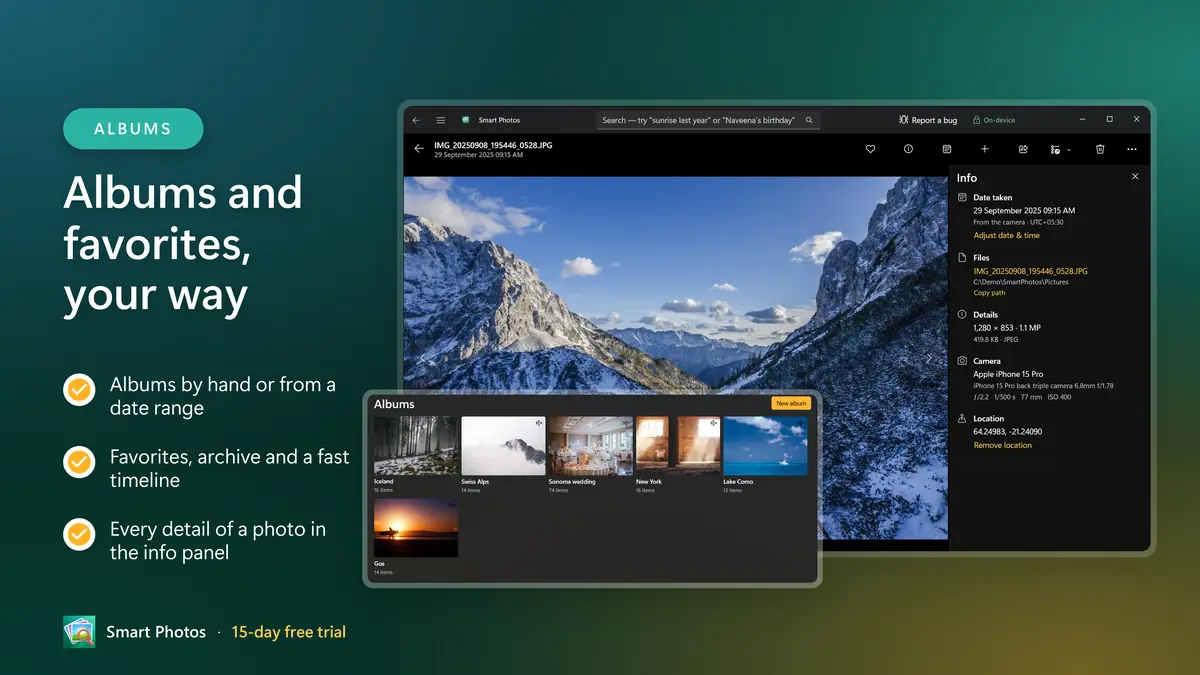
Memories and On this day, albums by hand or from a date range, favorites, an archive for photos you don't want in the timeline, and a Hidden space locked with Windows Hello. A fast timeline with a date scrubber keeps even very large libraries smooth.
Tidy up safely
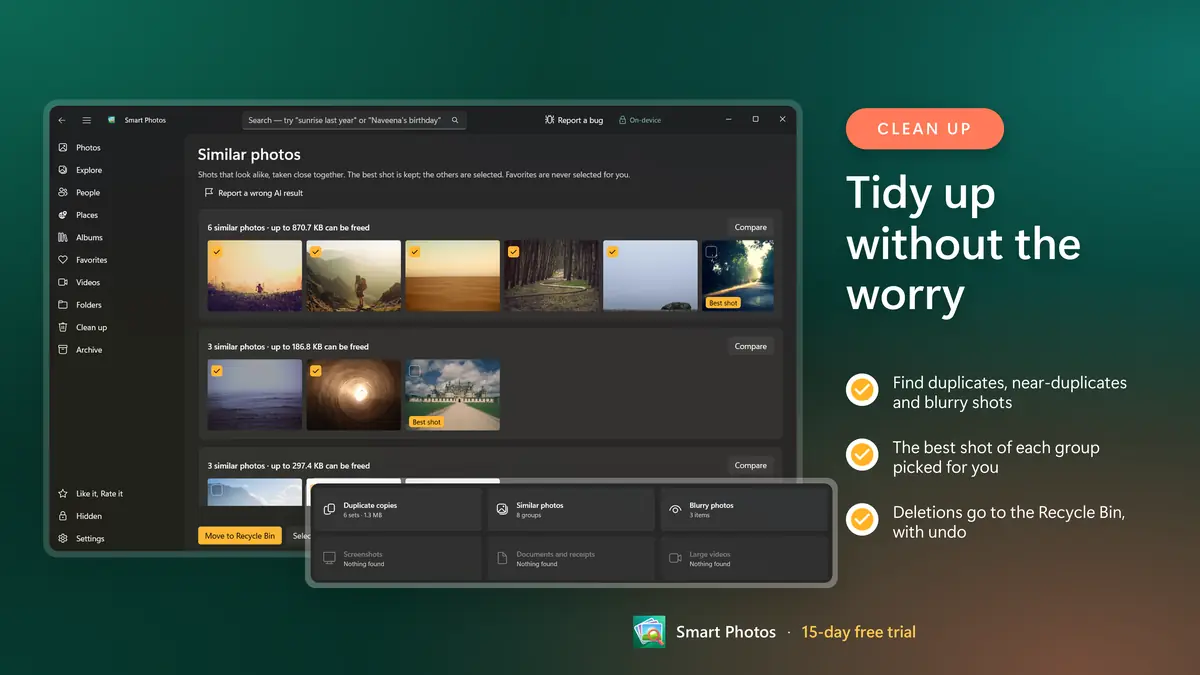
The built-in duplicate photo finder spots duplicates, near-duplicates, blurry shots and large videos and picks the best shot of each group to keep. Nothing is removed until you choose; deletions go to the Recycle Bin, with undo. Your original files are never changed.
Private by design
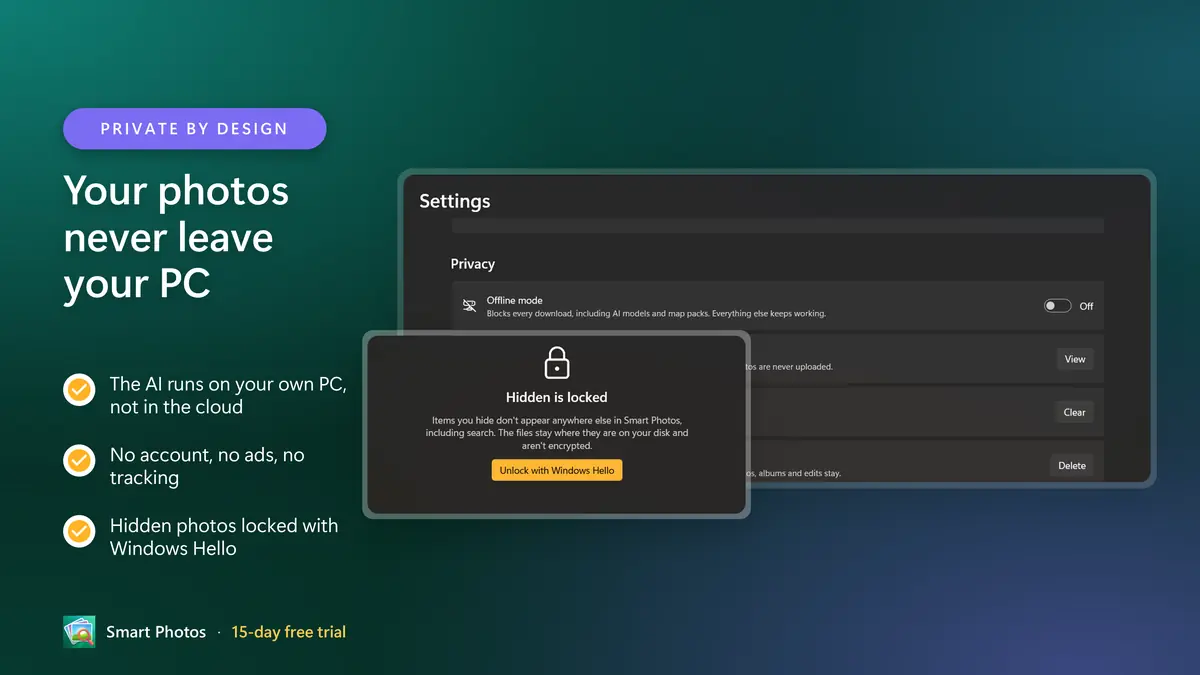
No account, no ads, no tracking, no telemetry. The AI models download once when you choose (about 1.8 GB); after that everything works offline, and Offline mode blocks the internet entirely. Every connection the app makes is listed in the app.
Works with what you have
Opens photos and videos in the editors and players you already use, imports from a phone or camera, and supports RAW, HEIC, AVIF, JXL and most video formats Windows can play. Available in 25 languages.
Everything that is included
- Search in plain words: "sunset at the beach last summer", "Maya's birthday", "receipts from March"
- Moving from Google Photos or iCloud Photos? Import your Takeout or iCloud ZIPs with dates, albums and favorites
- Faces grouped for you to name, merge and correct in a click
- Every photo on a built-in offline map, with trips and places
- Memories and On this day, picked for you
- Albums by hand or from a date range, favorites and archive
- Duplicate photo finder: duplicates, near-duplicates and blurry shots, with undo
- Reads text in photos: receipts, signs, screenshots
- AI runs on your own PC; works offline after a one-time model download
- Hidden photos locked with Windows Hello
- Fast timeline with a date scrubber for very large libraries
- No account, no cloud, no ads, no tracking
- Your original files are never changed
- RAW, HEIC, AVIF, JXL and most video formats
- Import from a phone, camera or memory card
- Available in 25 languages
- Fast photo and video viewer with zoom, filmstrip and side-by-side compare
- Full-screen slideshows of any album, memory or selection
- Plays live and motion photos, and videos with subtitles
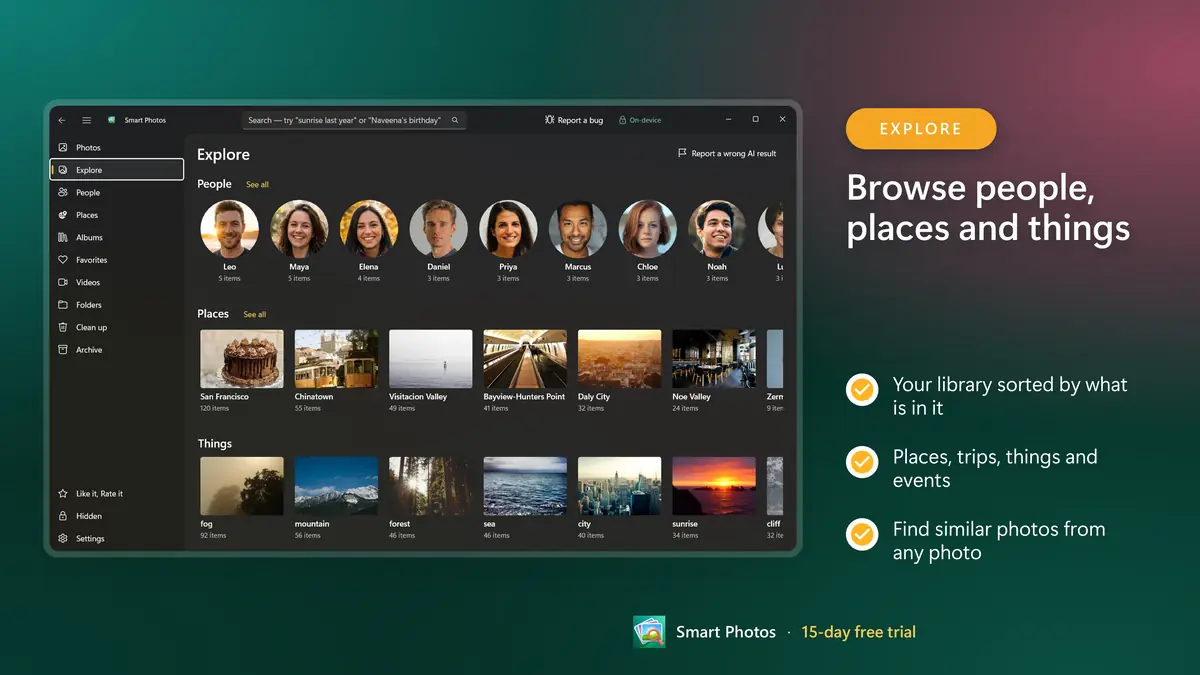
- Find similar photos from any photo
Bring your whole library across in three steps
Your dates, places, albums and favorites come with it. Nothing is uploaded at any point.
Export from Google
Use Google Takeout to download your Google Photos library as ZIP files. There is no need to unpack them.
Choose the ZIPs in Smart Photos
Smart Photos unpacks them onto your PC and keeps dates, places, descriptions, favorites and albums. The names you gave people come back as suggestions.
Check, then decide
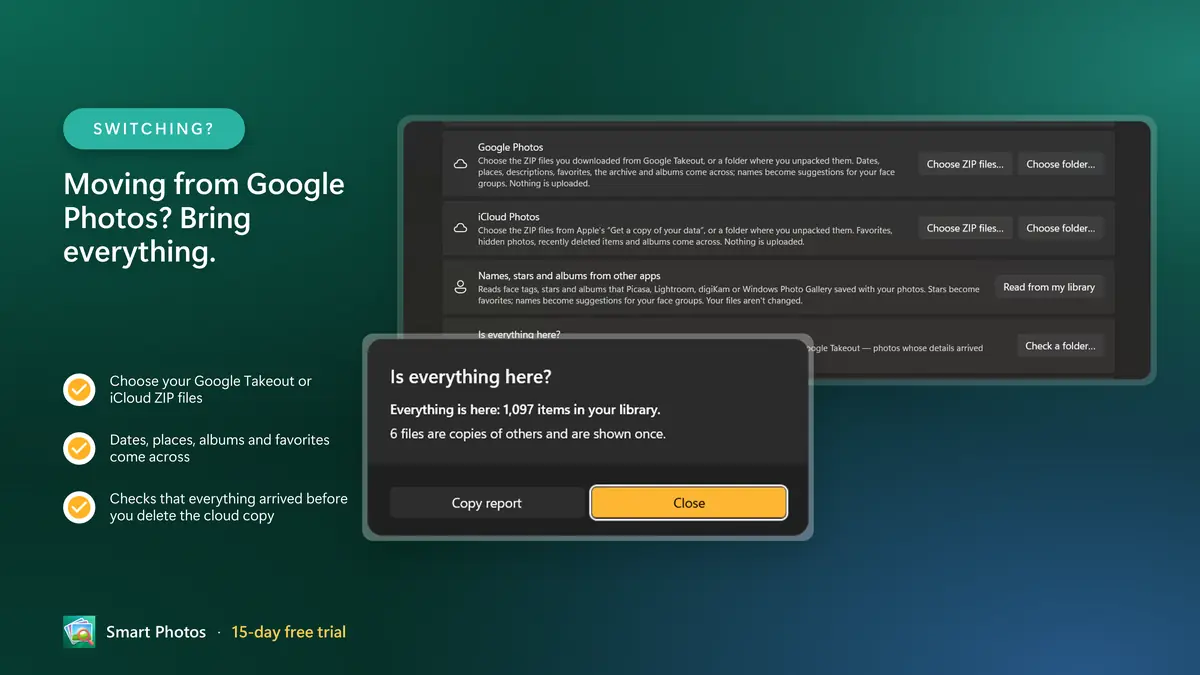
"Is everything here?" compares the export with your library, so you know nothing was missed before you delete anything from the cloud.
Google Photos is smart. It is also someone else's computer.
Google Photos made finding a photo feel like magic, but that magic runs on Google's servers, with your whole library stored there. The free 15 GB is shared with Gmail and Drive, and once it is full you pay every month to keep the photos you already have.
Smart Photos brings the same kind of smart gallery to Windows: search in plain words, faces grouped for you, trips on a map, Memories. Every photo stays on your own disk and every AI model runs on your own PC. No upload, no account, no storage plan.
Smart Photos is a private photo gallery and manager for Windows with the smart search you know from the cloud: find any photo by who is in it, where it was taken or what is in it. The AI runs on your own PC, so your photos never leave your device.
Moving from Google Photos or iCloud Photos? Choose the ZIP files you downloaded from Google Takeout or from Apple's data copy. Smart Photos unpacks them, keeps dates, places, descriptions, favorites and albums, suggests the names you had given people, and checks that everything arrived before you delete anything from the cloud. Face tags, stars and albums from Picasa, Lightroom and Windows Photo Gallery come across too.
Smart Photos vs Google Photos
The same smart features, with one difference that changes everything: where your photos live.
| Smart Photos | Google Photos | |
|---|---|---|
| Where your photos are stored | On your PC, in your own folders | In Google's cloud |
| Storage cost | Your own disk. No storage plan, ever. | 15 GB free, shared with Gmail and Drive; more needs a paid Google One plan |
| How you pay | One purchase in the Microsoft Store, after a 15-day free trial | A monthly or yearly subscription once your storage is full |
| Account | None. No sign-in at all. | Google Account required |
| Search in your own words | Yes, with AI running on your PC | Yes, processed on Google's servers |
| Faces grouped for you to name | Yes, on your PC | Yes, in the cloud |
| Works with no internet | Everything, after a one-time model download | Search and sync need a connection |
| Duplicate and blurry photo clean-up | Built in, with undo | No dedicated duplicate finder |
Google Photos and Google Takeout are trademarks of Google LLC. iCloud is a trademark of Apple Inc. Smart Photos is not affiliated with or endorsed by Google or Apple.
Six promises, built into the app
Not settings you have to find. This is simply how Smart Photos works.
Nothing leaves your PC
Photos, faces, names and searches are processed on your own computer. The only download is the AI models, once, when you choose, and every connection the app makes is listed inside it.
No account, no tracking
No sign-in, no ads, no telemetry and no crash upload. Offline mode blocks the internet entirely.
Your originals are never changed
Favorites, names, rotations and albums live in Smart Photos' own index. Your files stay exactly as they are; deletions go to the Recycle Bin, with undo.
Works offline
The gallery works from the first minute, even before the AI models arrive. After one download, everything works without an internet connection.
Your work is never lost
Adding folders or updating the app never re-sorts the people you have confirmed and never undoes your corrections.
Pay once, keep it
No subscription, no storage plan, no in-app purchases. After the trial your photos, albums and people stay, and browsing keeps working.
On-device AI, explained plainly
No account, no ads, no tracking, no telemetry. The AI models download once when you choose (about 1.8 GB); after that everything works offline, and Offline mode blocks the internet entirely. Every connection the app makes is listed in the app.
AI disclosure: Smart Photos uses on-device AI models to recognize what is in photos, group faces, read text and understand searches. When a search is not understood directly, an on-device language model rewrites it as a short search, shown as filters you can remove. It does not create images or content, and no AI runs in the cloud.
What you need
- Windows 10 version 2004 or later, or Windows 11
- An x64 or ARM64 PC
- About 1.8 GB of free space for the AI models, downloaded once
- Available in 25 languages
What Smart Photos is not
- Not a cloud backup. It keeps your photos where they already are, so keep a copy on another drive as you would with any local library.
- Not a photo editor. It opens your photos in the editors you already use.
- Not a phone-to-PC sync service. It imports from a phone, camera or memory card when you connect one.
- Not for Mac, iPhone or Android. Smart Photos is a Windows app.
Who it is for
People leaving Google Photos or iCloud Photos who want the same smart gallery without a monthly storage bill. Families with years of photos on a PC or an external drive. Photographers who shoot RAW and keep their own folders. Anyone who would rather their family's faces were recognised on their own computer, not in someone else's data centre.
Frequently asked questions
Leave the cloud. Keep the smarts.
Smart like the cloud, but private and local: search photos in your own words, see every face grouped, relive trips on an offline map and clear out duplicate photos, with AI that runs on your PC. Moving from Google Photos or iCloud? Bring it all. Try it free for 15 days.
15-day free trialEvery feature unlocked. No account, no subscription.
Good to know
Try every feature free for 15 days. After the trial your photos, albums and people stay, and browsing and viewing keep working; AI search and AI indexing pause until you buy.
Google Photos and Google Takeout are trademarks of Google LLC. iCloud is a trademark of Apple Inc. Smart Photos is not affiliated with or endorsed by Google or Apple.