 Pub File Editor & Desktop Publishing
Microsoft Store · Windows 10 & 11
PubMaker Open your .pub files. Make flyers, cards and newsletters.
Open and edit .pub files and make flyers, newsletters, brochures, cards, labels and certificates from 200+ templates. Mail merge, label sheets, booklets and PDF export. Every feature is free, fully offline, with no account and no subscription.
Every feature freeSmall label on free exports · Pro removes it
PubMaker at a glance
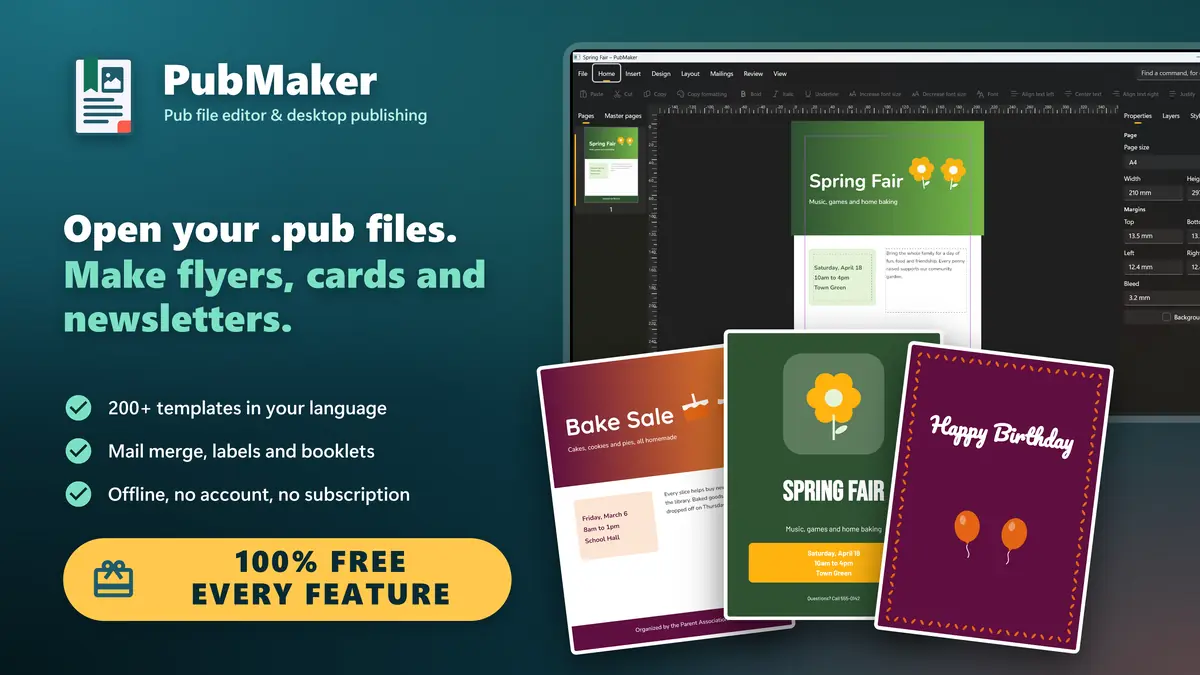
PubMaker is a pub file editor and desktop publishing app for Windows. Open and edit the .pub files you made in Microsoft Publisher, and make flyers, newsletters, brochures, greeting cards, invitations, labels, certificates and business cards from more than 200 templates. Every feature is free, and PubMaker works fully offline.
- What it is
- A desktop publishing app and .pub file editor for Windows 10 and 11
- Opens
- .pub files made in Microsoft Publisher, PDFs, pictures, SVG, Word, RTF and text files
- Saves as
- PubMaker documents, PDF (print, email, PDF/A), PNG, JPEG and Word. Your .pub files are never changed
- Templates
- More than 200 free templates, with sample text written in your language
- Makes
- Flyers, newsletters, brochures, cards, invitations, labels, certificates, menus and calendars
- Printing
- Mail merge, label and card sheets with crop marks, booklets, tiled posters, two-sided printing
- Price
- Free, with every feature. Free exports carry a small label; Pro or a 24-hour pass removes it
- Privacy
- Fully offline. No account, no ads in the app, nothing collected
- Runs on
- Windows 10 and Windows 11, x64 and ARM64, in 25 languages
Keep your .pub files working in three steps
No upload, no conversion website, no Publisher needed.
Microsoft Publisher is no longer supported
Microsoft ended support for Publisher in October 2026, and Microsoft 365 no longer includes it. Your .pub files are not deleted, but without Publisher, Windows has nothing to open them with.
Install PubMaker free
Get it from the Microsoft Store. No account, no sign-up and no trial: every feature works from the start.
Double-click a .pub file
PubMaker opens its pages, text, pictures, shapes and tables, and tells you about anything that changed. A whole folder? Convert it to PDF in one go.
Edit, print or export
Keep working with a ribbon you already know, then print or save as PDF, PNG, JPEG or Word. Your original .pub file is never changed.
Every feature freeSmall label on free exports · Pro removes it
Everything you need to publish. All of it free.
Opens .pub files
Keep editing your old Publisher files
200+ templates
Flyers, cards, menus, certificates
Mail merge
From Excel, CSV or a typed list
Labels and cards
Many to a sheet, lined up
Booklets and posters
Folded in order, tiled across pages
PDF, PNG, JPEG, Word
Print-ready PDF with bleed
Schemes and brand kit
Restyle a whole design in one click
Works offline
No account, nothing leaves your PC
See PubMaker at work
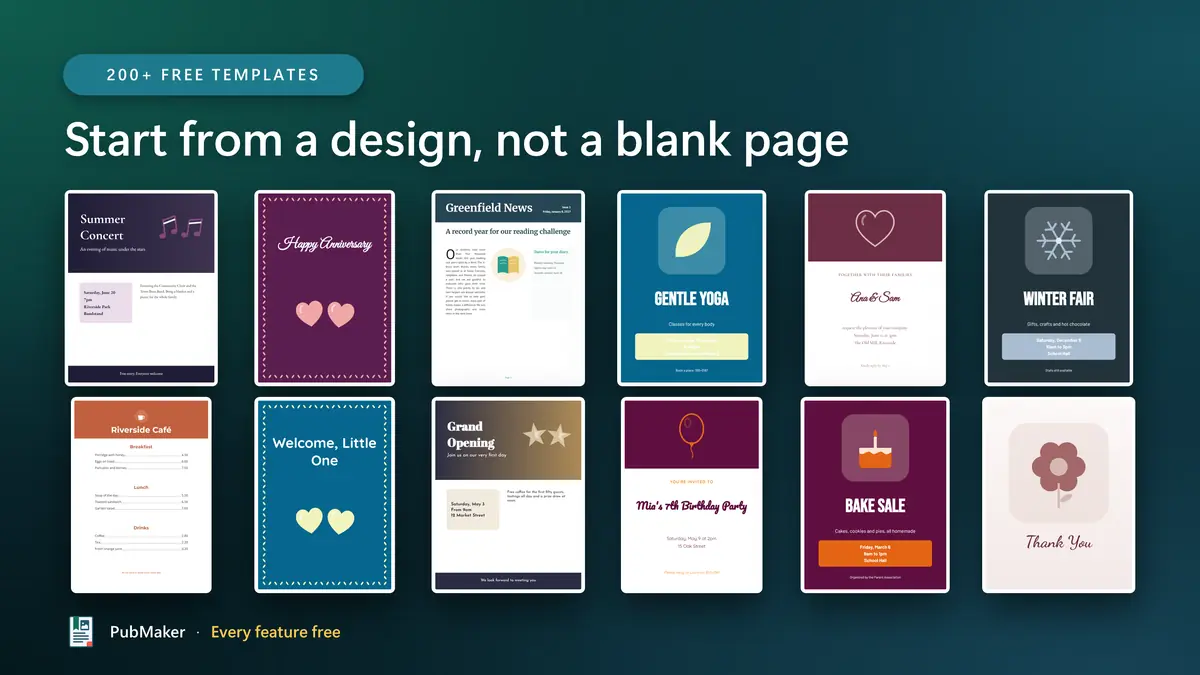
Start from a design, not a blank page
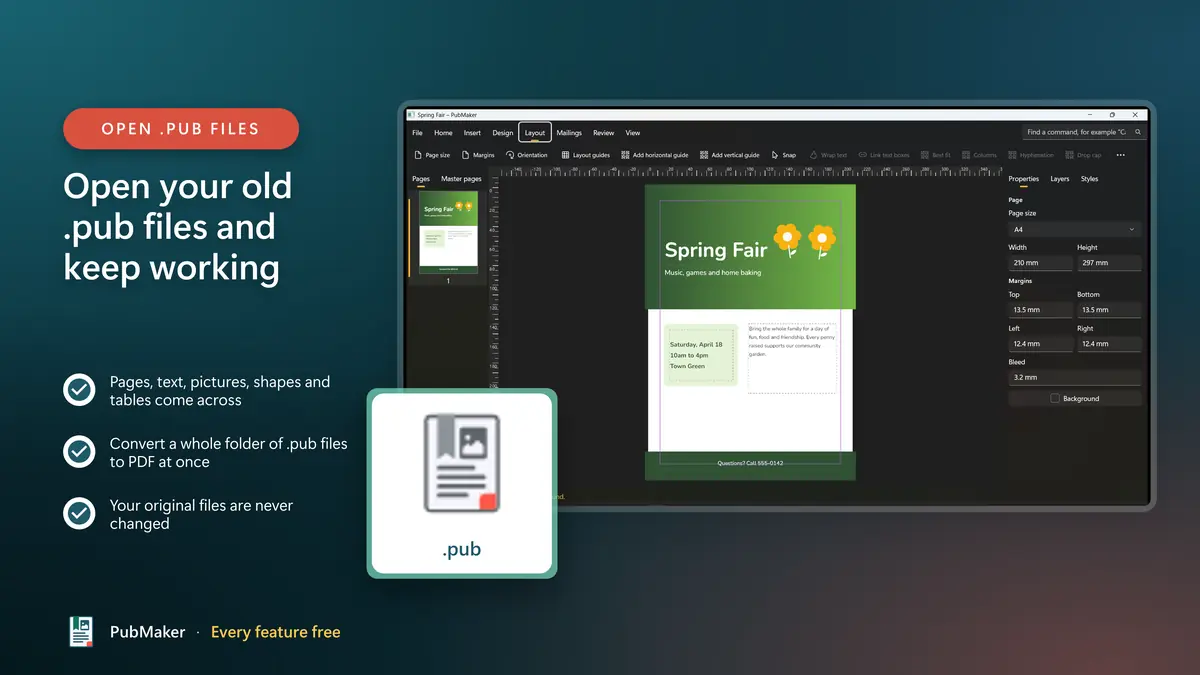
Open your old .pub files and keep working
- Pages, text, pictures, shapes and tables come across
- Convert a whole folder of .pub files to PDF at once
- Your original files are never changed
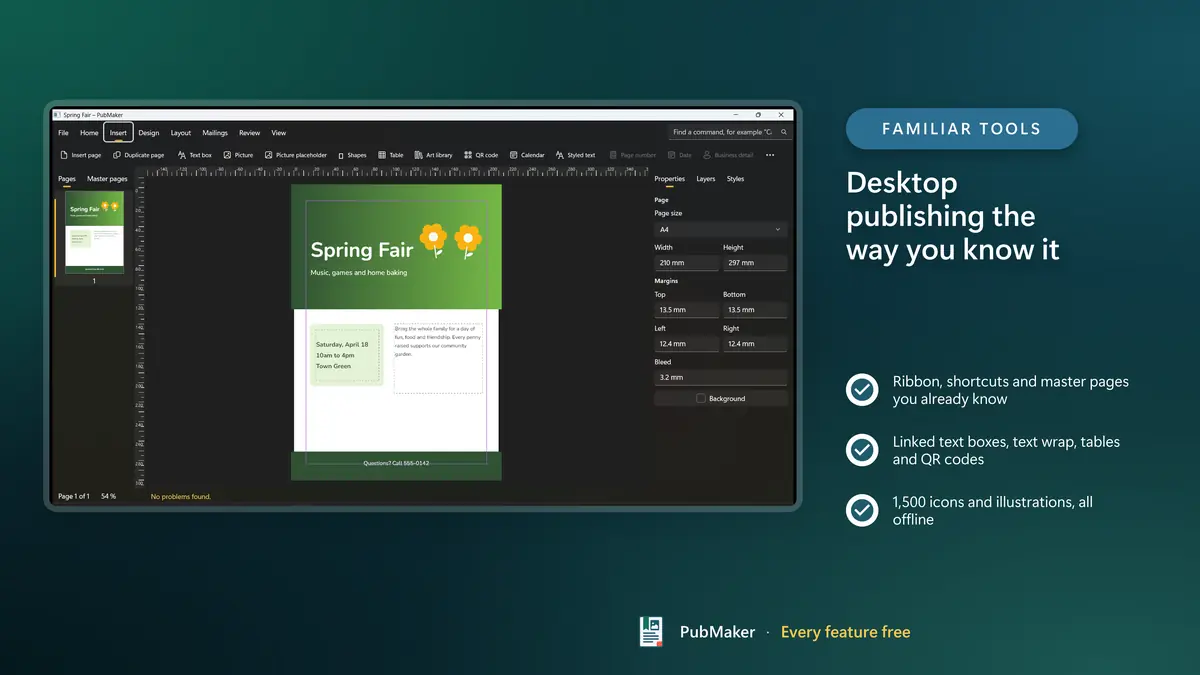
Desktop publishing the way you know it
- Ribbon, shortcuts and master pages you already know
- Linked text boxes, text wrap, tables and QR codes
- 1,500 icons and illustrations, all offline
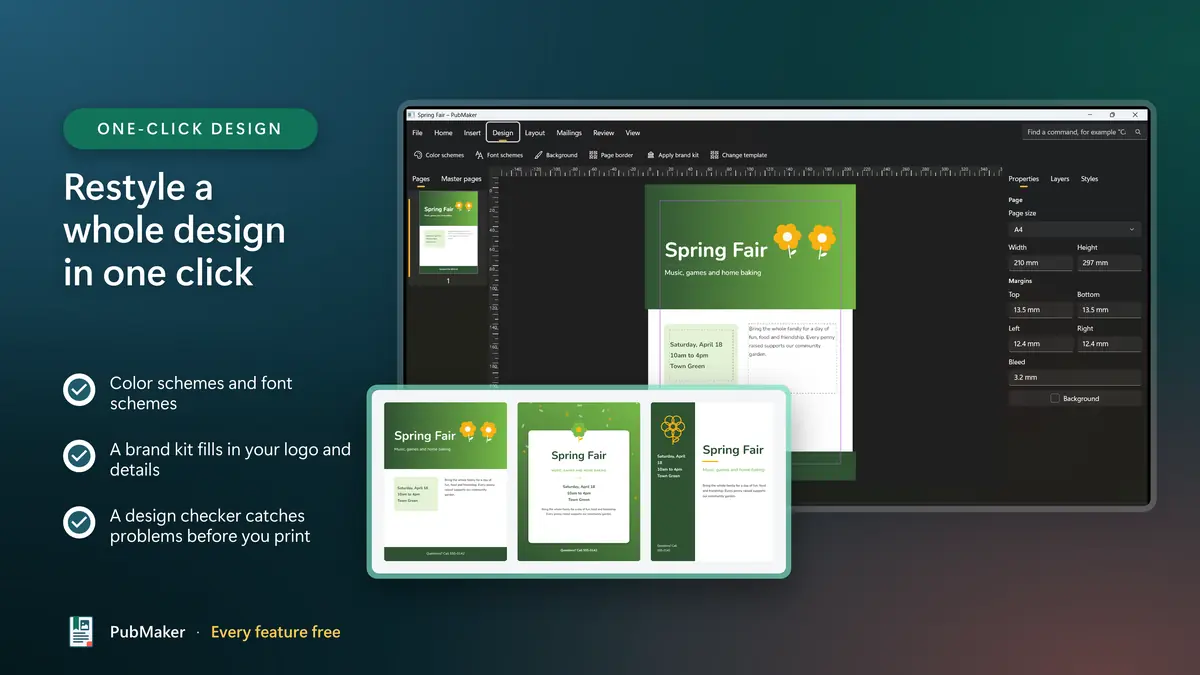
Restyle a whole design in one click
- Color schemes and font schemes
- A brand kit fills in your logo and details
- A design checker catches problems before you print
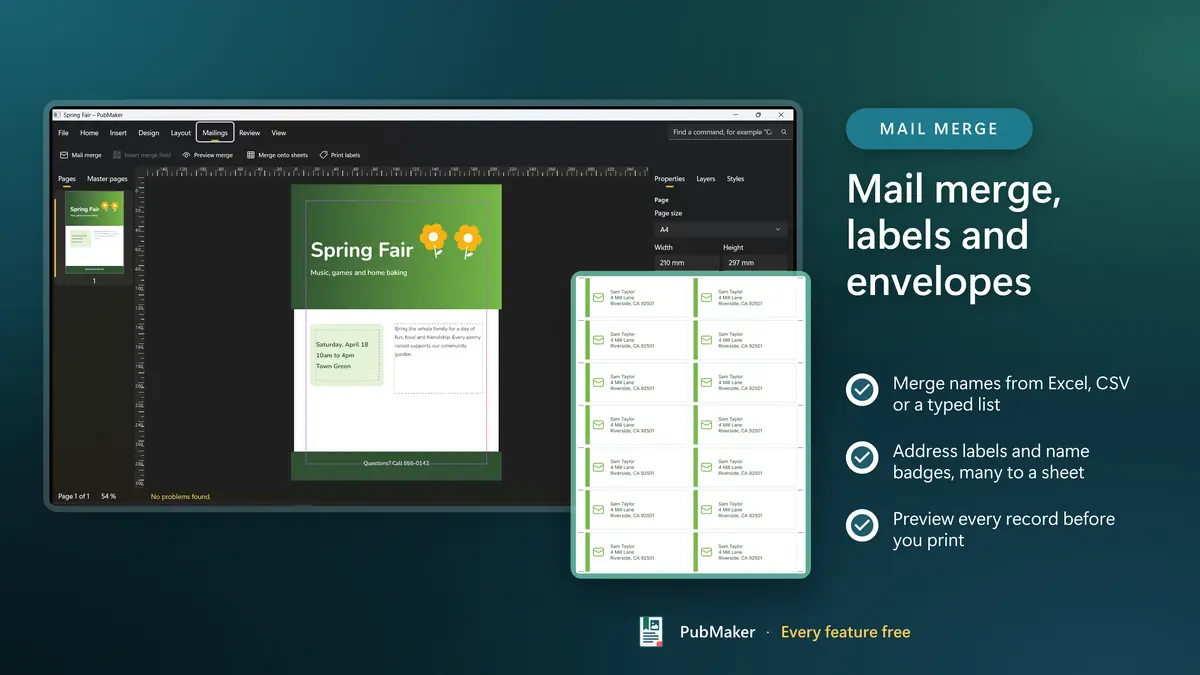
Mail merge, labels and envelopes
- Merge names from Excel, CSV or a typed list
- Address labels and name badges, many to a sheet
- Preview every record before you print
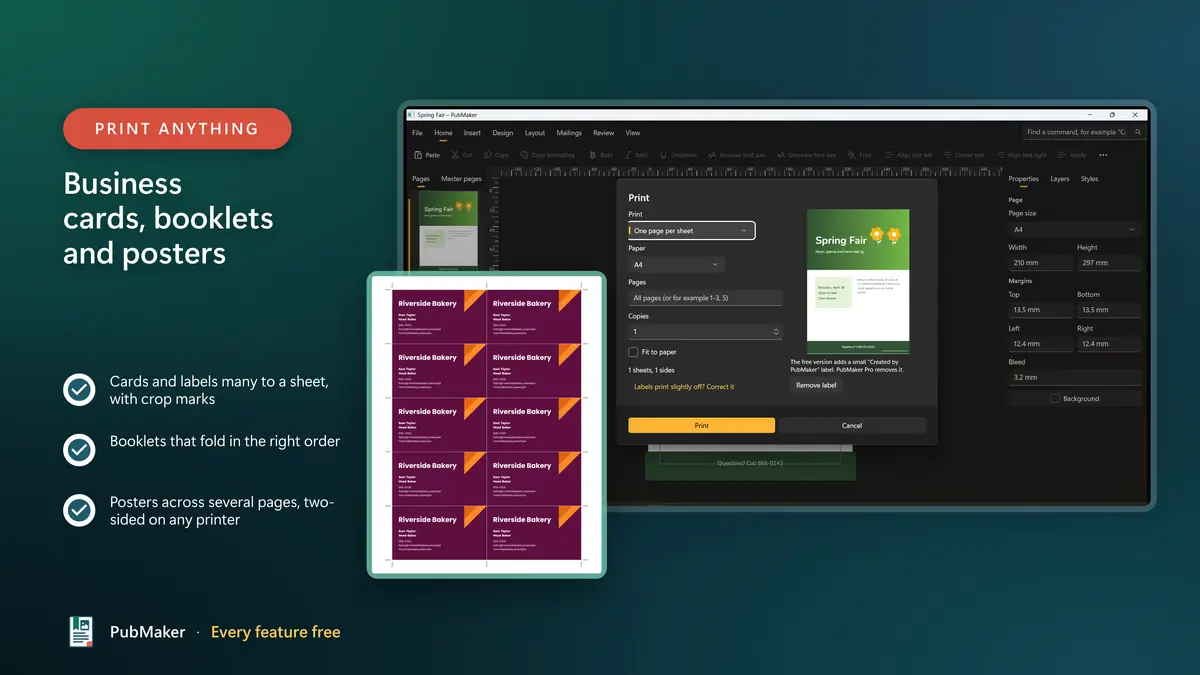
Business cards, booklets and posters
- Cards and labels many to a sheet, with crop marks
- Booklets that fold in the right order
- Posters across several pages, two-sided on any printer
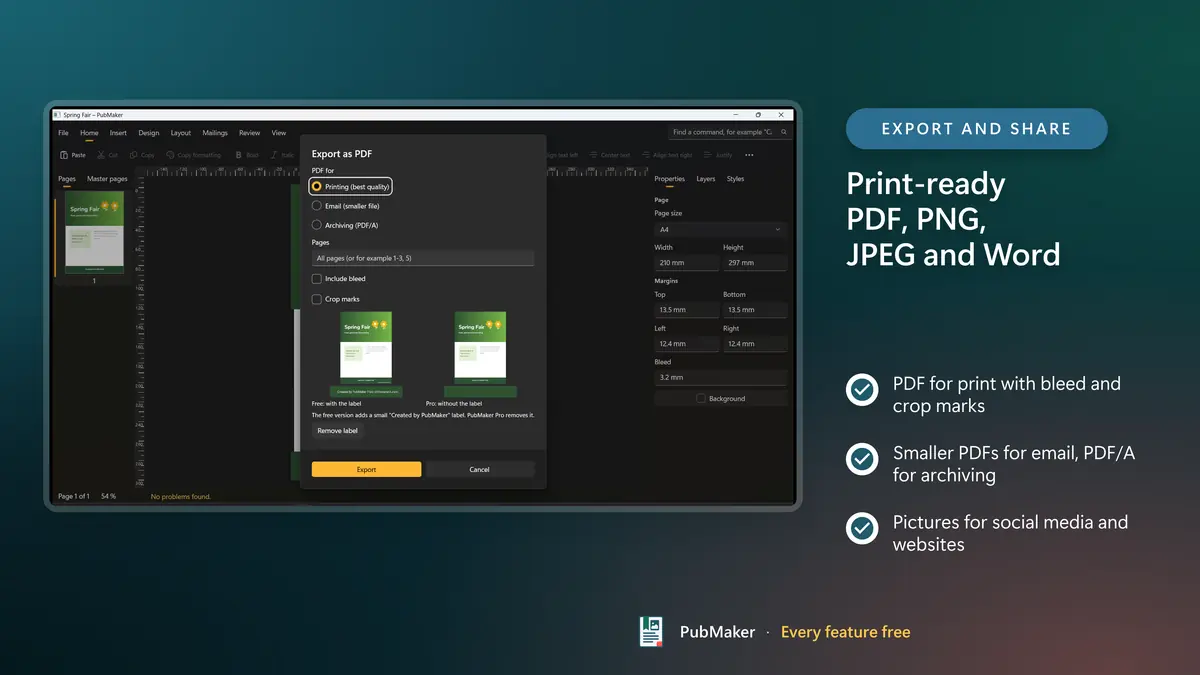
Print-ready PDF, PNG, JPEG and Word
- PDF for print with bleed and crop marks
- Smaller PDFs for email, PDF/A for archiving
- Pictures for social media and websites
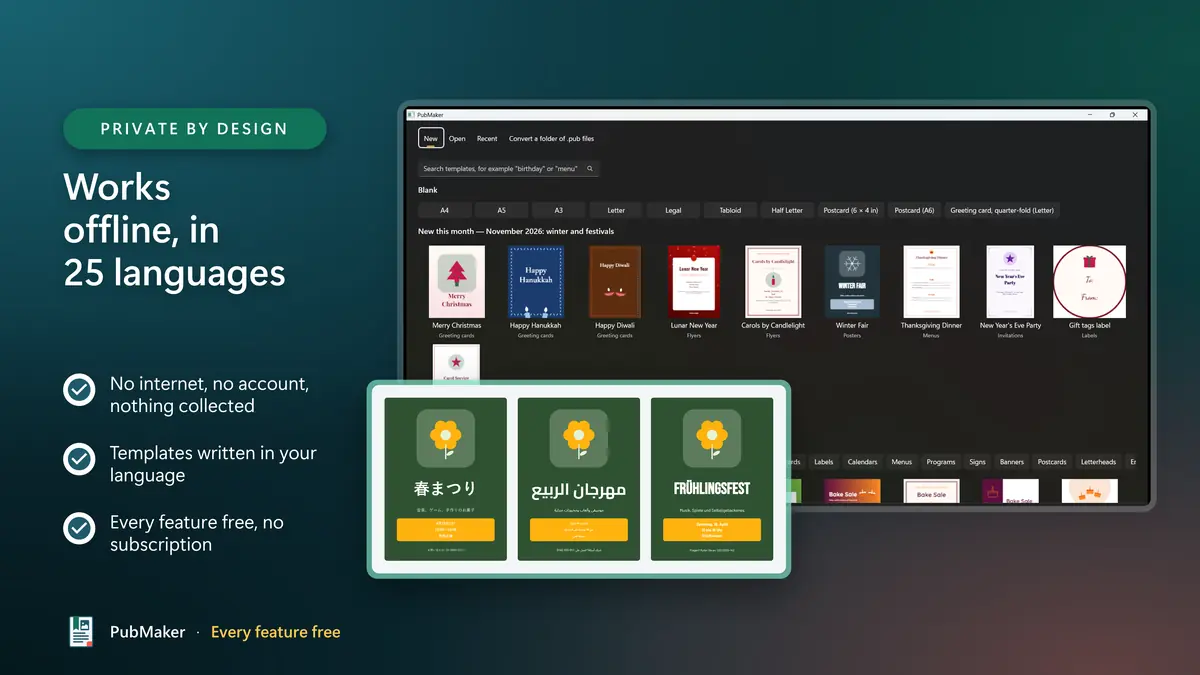
Works offline, in 25 languages
- No internet, no account, nothing collected
- Templates written in your language
- Every feature free, no subscription
Every feature freeSmall label on free exports · Pro removes it
Every feature is free
No trial, no time limit, no subscription. Nothing is locked; free exports and prints simply carry a small label.
PubMaker Free
Free
- The editor, all 200+ templates and the whole art library
- .pub and PDF import, and batch conversion of whole folders
- Mail merge, label sheets, booklets, posters and every print option
- Export to PDF, PNG, JPEG and Word
- A small label on each page you export or print
PubMaker Pro Optional
One-time purchase, or a 24-hour pass
- Pro: the label is gone for good, on all your PCs
- Put your own small logo where the label was
- 24-hour pass: no label for one day, for a single big print job
- Bought in the Microsoft Store. No subscription, no account with us
Free exports and prints carry this small label, in a corner you choose: PubMaker · dhinovatech.com
Prices are set per market and shown in the Microsoft Store before you buy. The label is never saved into your document, so after you buy Pro even old documents export without it.
What are your options for .pub files now?
Three ways to keep your Publisher work alive, side by side.
| What you need | PubMaker | Save as PDF or Word from Publisher | LibreOffice Draw |
|---|---|---|---|
| Works without Publisher | Yes | Needs a working copy of Publisher | Yes |
| Your layout stays editable | Text, pictures, shapes and tables come across | PDF is fixed; Word suits text, not layouts | Yes, though users report missing pictures and formatting |
| Convert a whole folder at once | Batch conversion to PDF, with a report | One file at a time, or a script | From the command line |
| Templates for flyers, cards and newsletters | 200+, with text in your language | Word's own templates | Few built in |
| Mail merge onto label and card sheets | Built in, from Excel, CSV or a typed list | In Word | In Writer, not in Draw |
| Booklets and posters | Folded in order; posters tiled across pages | Word can print a book fold | Brochure and tiled printing |
| Publisher-style ribbon and shortcuts | Yes | Word's ribbon | Its own menus and toolbars |
| Price | Free; Pro removes the small label | Needs Office or Microsoft 365 | Free and open source |
PubMaker is not affiliated with Microsoft. Microsoft Publisher is a trademark of Microsoft Corporation. LibreOffice is a trademark of The Document Foundation.
Made for the things people print
Flyers and posters
Bake sales, events, notices and offers, from a template or a blank page, printed at home or sent to a print shop as a PDF with bleed.
Newsletters and bulletins
Church bulletins, club and school newsletters, with columns, linked text boxes and master pages that carry the masthead.
Cards and invitations
Birthday, wedding and holiday cards and invitations, with sample text already written in your language.
Business cards and labels
Many to a sheet with crop marks, address labels by mail merge, and a one-page alignment test before you print the batch.
Certificates and awards
Fill in every name from a spreadsheet with mail merge and print one certificate per person.
Menus, programs and calendars
Restaurant menus, event programs and a calendar for any month or year, restyled in one click with color schemes.
Everything PubMaker does
OPEN YOUR .PUB FILES
- Opens .pub files made in Publisher and keeps them editable.
- Converts a whole folder of .pub files to PDF or PubMaker documents in one go, with a report of every file.
- Opens PDFs as editable documents too.
- Your original .pub files are never changed. Your work is saved as a PubMaker document, PDF, PNG, JPEG or Word file.
200+ FREE TEMPLATES
- Flyers, posters, brochures, newsletters, greeting cards, invitations, certificates, business cards, labels, calendars, menus, programs, signs, banners, postcards, letterheads and envelopes.
- Sample text written in your language, and new seasonal designs with updates.
- A calendar for any month or year, and your own templates saved for next time.
DESKTOP PUBLISHING THE WAY YOU KNOW IT
- A familiar ribbon and the keyboard shortcuts you already use.
- Master pages, linked text boxes, columns, text wrap, drop caps, tables and QR codes.
- Color schemes and font schemes restyle a whole design in one click.
- A brand kit fills in your logo, name, address and colors.
- 1,500 icons and 300 illustrations, borders and accents, all offline.
- A design checker finds overflowing text, blurry pictures and missing fonts before you print.
- Type a command name you remember and PubMaker shows you where it is.
MAIL MERGE, LABELS AND PRINTING
- Mail merge from Excel, CSV or a typed list: letters, envelopes, address labels, name badges and certificates.
- Business cards, labels and postcards many to a sheet, with crop marks and a one-page alignment test.
- Booklets that fold in the right order, posters tiled across several pages, two-sided printing on any printer.
- Export PDF for print (bleed and crop marks), PDF for email, PDF/A, PNG, JPEG and Word.
Your documents stay on your PC
PubMaker never connects to the internet, needs no account and collects nothing. Your documents stay on your PC.
- PubMaker never connects to the internet
- No account, no sign-in, no ads in the app
- Nothing about you or your documents is collected
- Your original .pub files are opened, never changed
Available in 25 languages, with light and dark themes. For Windows 10 and Windows 11.
PubMaker privacy policyFeature list
- Opens and edits .pub files made in Publisher
- Converts a whole folder of .pub files to PDF in one go
- Opens PDFs as editable documents
- More than 200 free templates with sample text in your language
- Flyers, newsletters, brochures, greeting cards and invitations
- Labels, business cards, certificates, menus, calendars and signs
- Master pages, linked text boxes, columns and text wrap
- Color schemes and font schemes in one click
- Brand kit for your logo, colors and business details
- 1,500 icons and 300 illustrations, all offline
- Mail merge from Excel, CSV or a typed list
- Labels and cards many to a sheet, with crop marks
- Booklet printing that folds in the right order
- Posters and banners tiled across several pages
- Export PDF with bleed and crop marks, PDF/A, PNG, JPEG and Word
- Design checker for overflowing text and blurry pictures
- Familiar ribbon and keyboard shortcuts
- Every feature free, with no subscription
- Works fully offline: no account, nothing collected
- 25 languages, light and dark themes
Frequently asked questions
Open your .pub files. Make flyers, cards and newsletters.
Free in the Microsoft Store, with every feature. Your .pub files, flyers and newsletters, back in your hands.
Every feature freeSmall label on free exports · Pro removes it