 Steps Recorder & Guide Maker
Microsoft Store · Windows 10 & 11
Steptell Record your clicks. Get a how-to guide.
Steps recorder and how-to guide maker: record every click as a numbered step with a screenshot, then annotate, blur and export to Word, PDF or video. The modern replacement for Windows Steps Recorder. All features free, offline, no account.
All features freeNothing locked behind Pro · No account · No ads
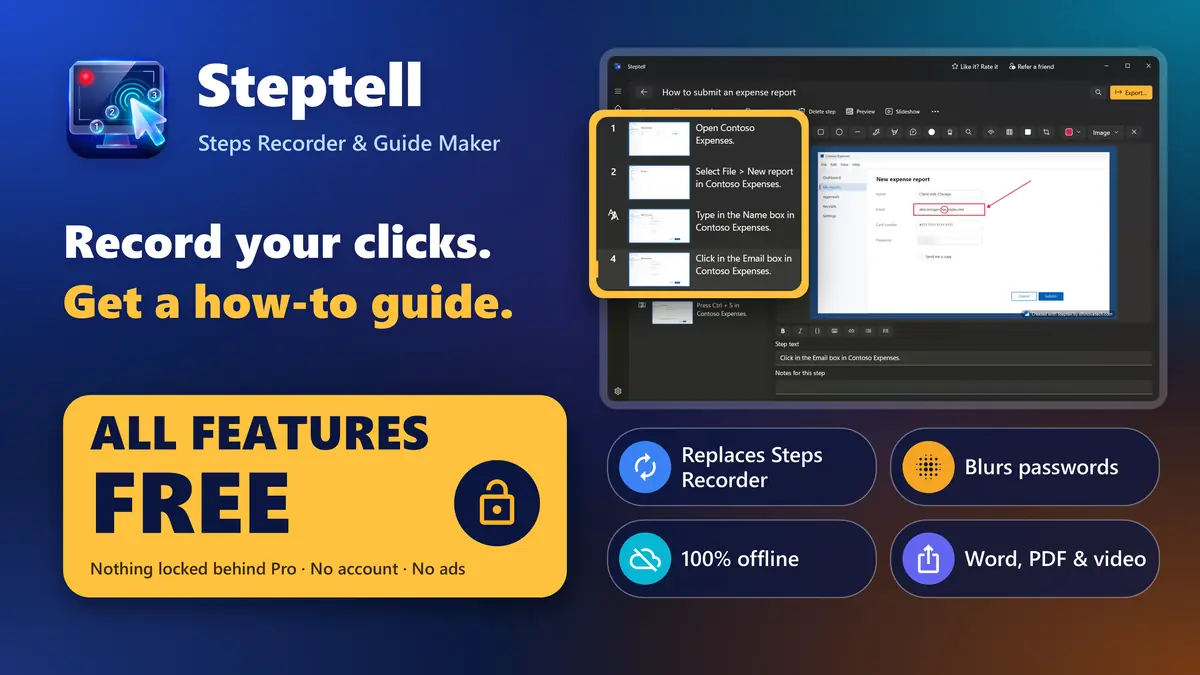
Steptell at a glance
Steptell is a steps recorder and how-to guide maker for Windows. Press one hotkey, do the task, and get a step-by-step guide with screenshots, ready for Word, PDF, PowerPoint or video. All features are free, it works offline, and there is no account to create.
- What it is
- A steps recorder and how-to guide maker for Windows 10 and Windows 11
- Records
- Every click, shortcut, scroll and drag as a numbered step with a screenshot and a plain sentence
- Replaces
- Windows Steps Recorder (psr.exe), which Microsoft has deprecated. Opens its ZIP and MHT files
- Price
- Every feature is free. Optional one-time Pro only removes the small label from exported images
- Exports
- Word, PDF, PowerPoint, HTML, Markdown, images, GIF, MP4 video, SCORM and JSON
- Privacy
- Never records keystrokes, blurs password boxes, works offline with no account and no telemetry
- Languages
- 25, for the app and for the step text, including Arabic and Hebrew
- Works on
- Windows 10 22H2 and Windows 11, on x64 and ARM64 PCs
- Made by
- Dhinovatech, on the Microsoft Store
Everything included. All free.
One offline app to record, edit, protect and share step-by-step guides.
Steptell records every click as a numbered step with a screenshot, the modern replacement for Windows Steps Recorder. Press one hotkey, do the task as usual, and press it again. Steptell writes a plain step for each click, such as "Click Save in Notepad", in any of 25 languages. Then you edit, annotate and export a guide people can follow.
One-hotkey recording
Every click, shortcut and scroll becomes a step with a screenshot.
Steps written for you
Plain sentences like "Click Save in Notepad", in 25 languages.
Annotate and edit
Arrows, boxes, callouts, badges, spotlight, magnifier, crop and zoom.
Automatic blur
Password boxes are blurred; emails, phones and card numbers are found.
Never records typing
Keystrokes are dropped at once. Passwords never reach a step.
14 export formats
Word, PDF, PowerPoint, HTML, Markdown, GIF, MP4 video and SCORM.
Problem reports
Record what goes wrong and save one ZIP for IT or the helpdesk.
100% offline
No account, no cloud, no tracking. Guides are encrypted on your PC.
Opens Steps Recorder files
Import Steps Recorder ZIP and MHT files, images and videos.
25 languages
App and step text in 25 languages; export a guide in several at once.
See Steptell at work
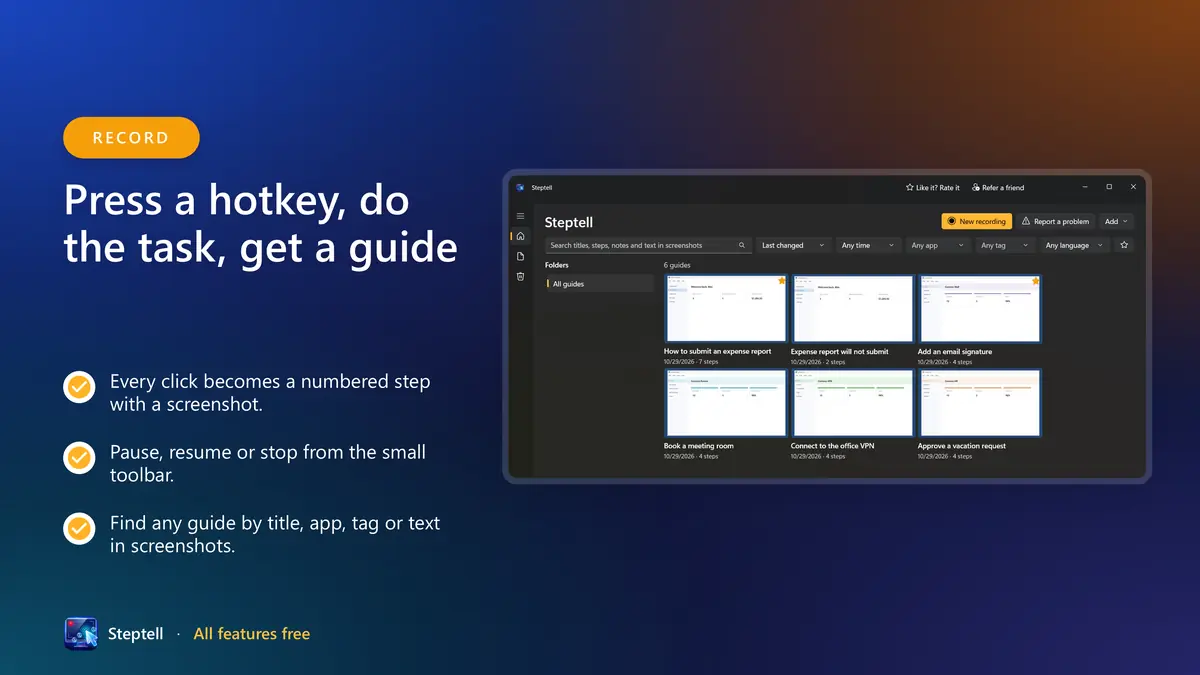
Press a hotkey, do the task, get a guide
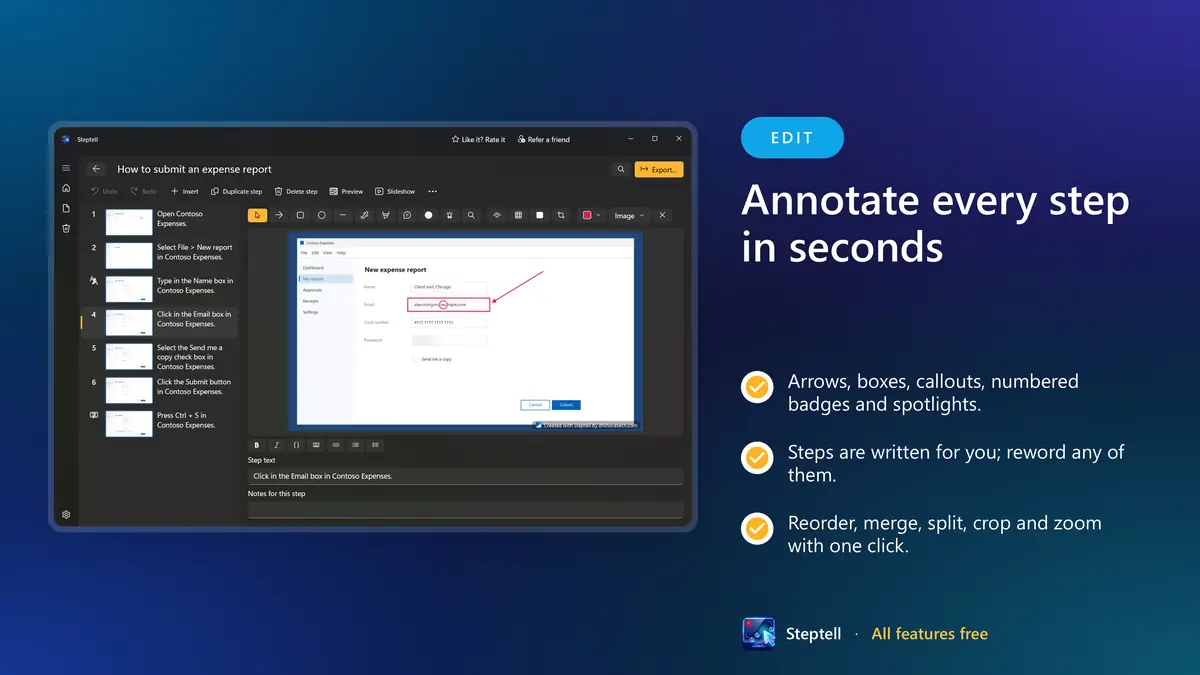
Annotate every step in seconds
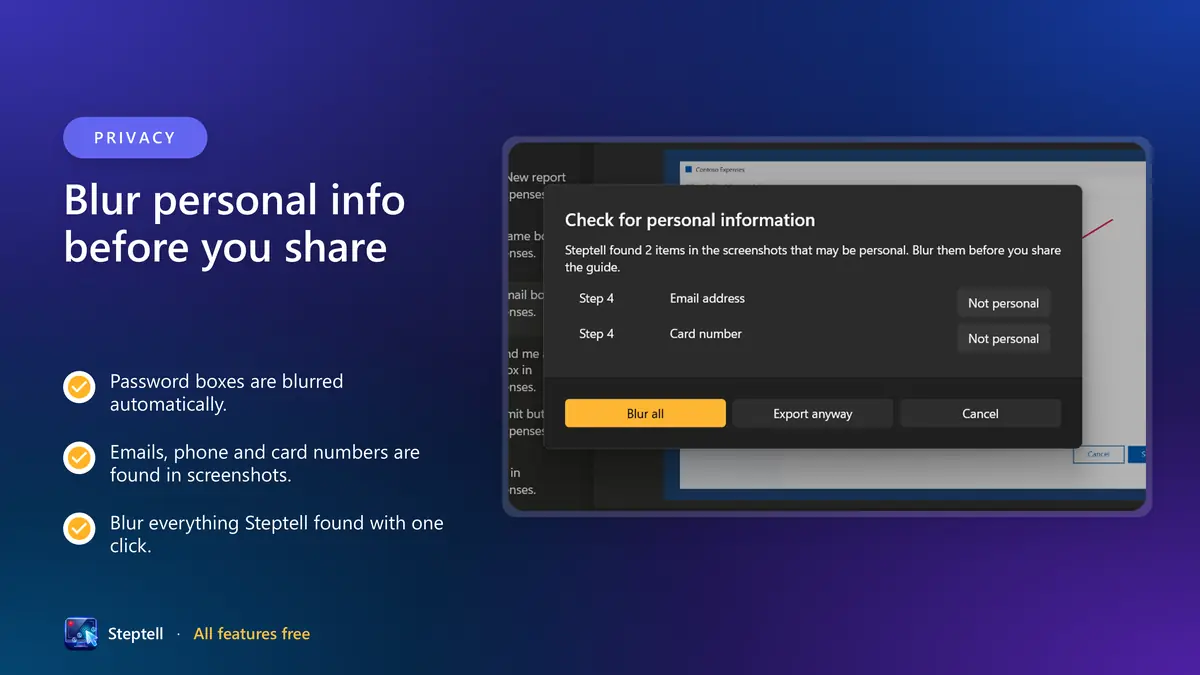
Blur personal info before you share
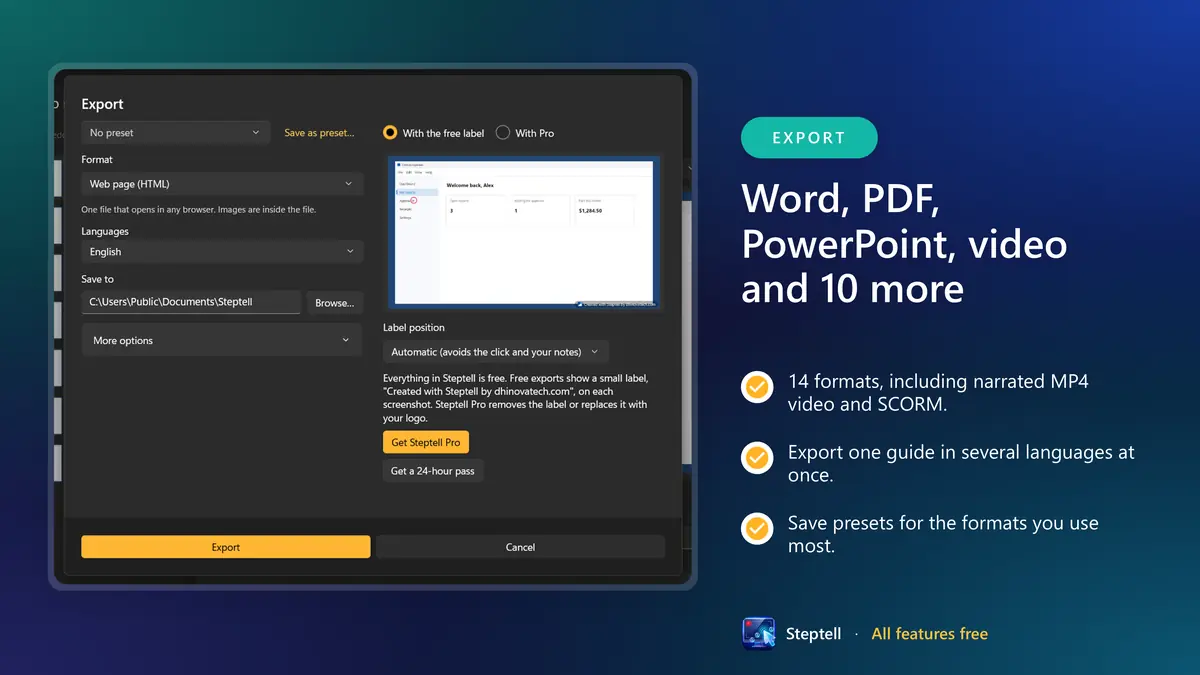
Word, PDF, PowerPoint, video and 10 more
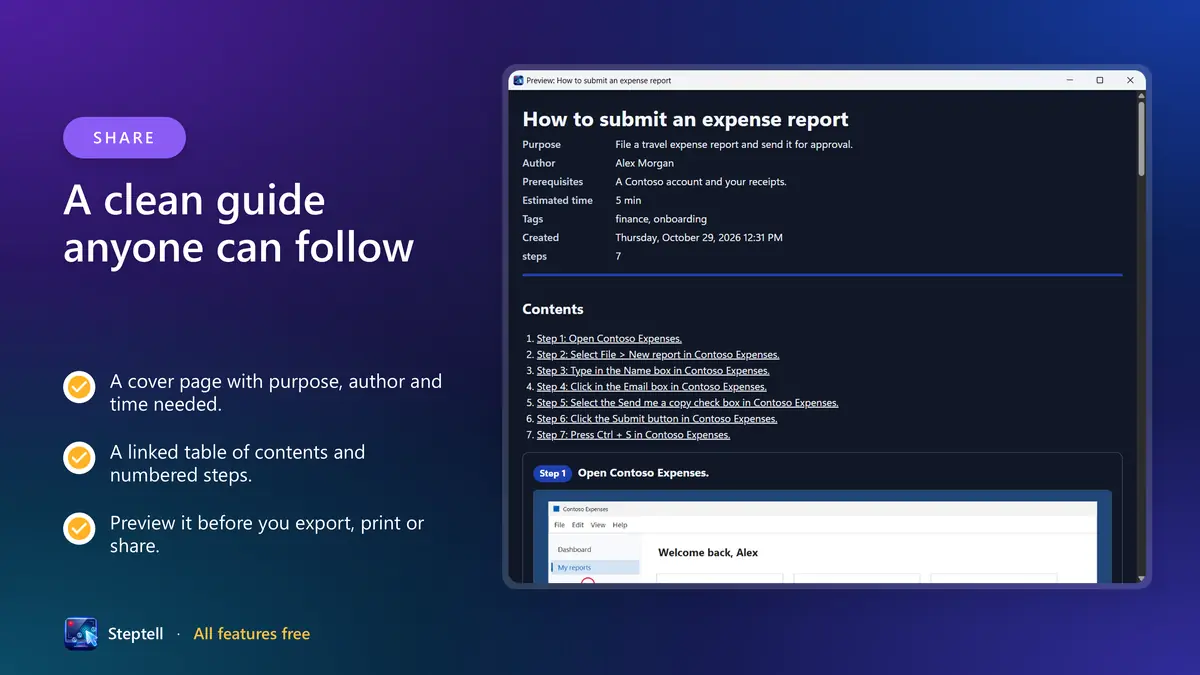
A clean guide anyone can follow
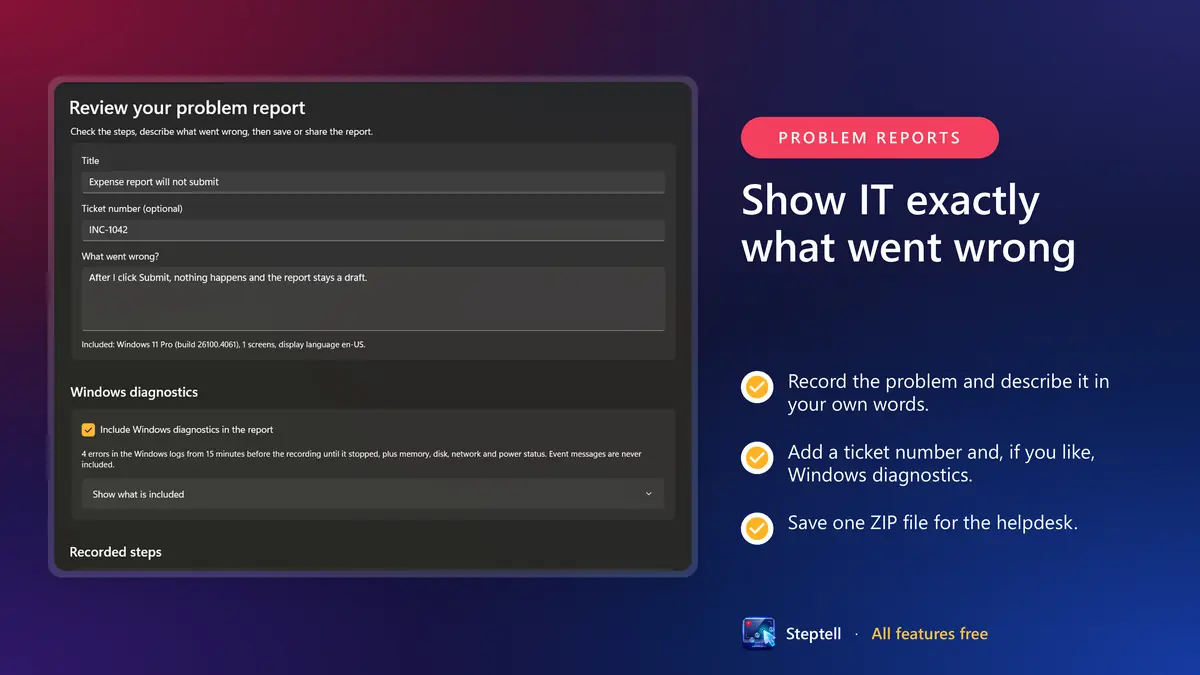
Show IT exactly what went wrong
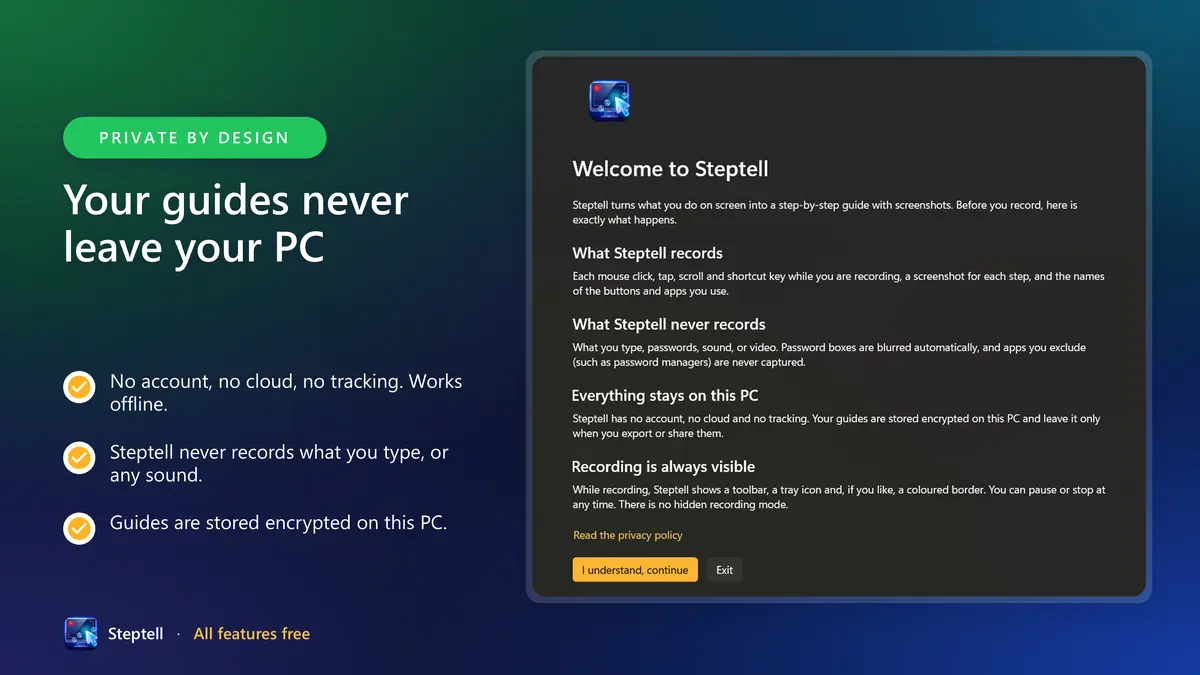
Your guides never leave your PC
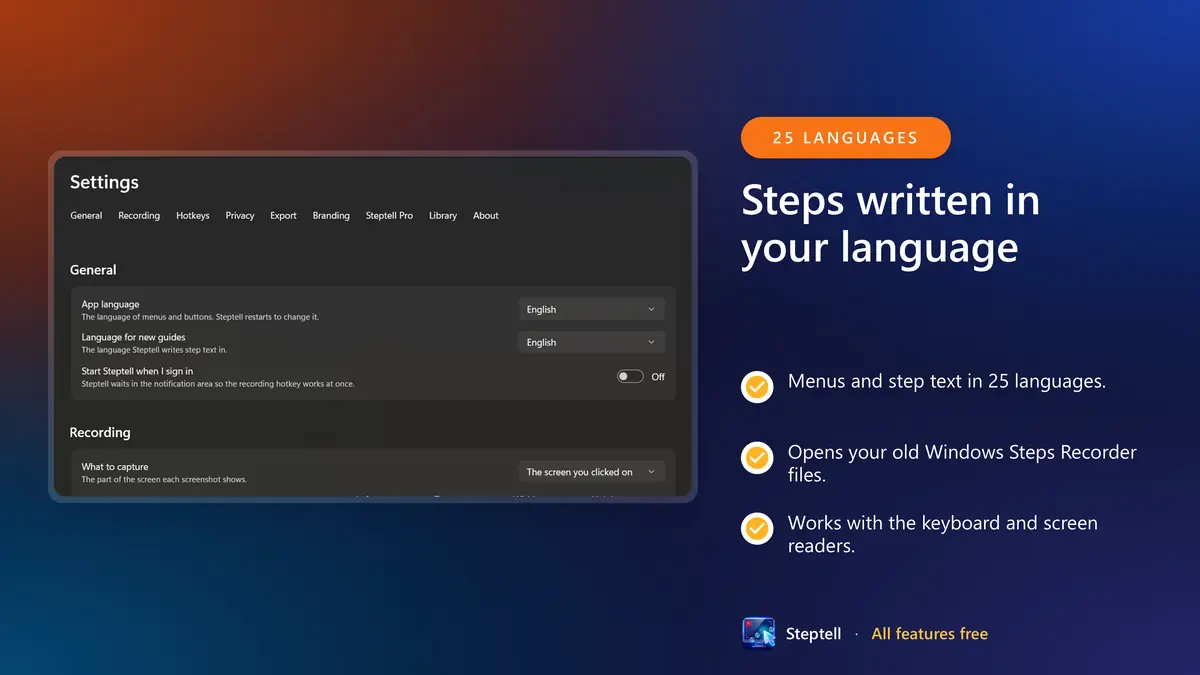
Steps written in your language
All features freeNothing locked behind Pro · No account · No ads
Windows Steps Recorder is going away. Steptell takes over.
For years, Steps Recorder (psr.exe, also known as Problem Steps Recorder) was how IT asked people to show a problem: start recording, reproduce it, send the ZIP. Microsoft has deprecated it: it is no longer updated and will be removed in a future release of Windows. The tools suggested instead, such as Snipping Tool and Clipchamp, record video, not numbered steps.
Steptell works the way Steps Recorder did, with one hotkey to start, a step and a screenshot for every click, and a ZIP for the helpdesk. Then it lets you turn the result into a guide people can follow. It even opens your old Steps Recorder files, so nothing you recorded is lost.
Steptell compared with Windows Steps Recorder
| Feature | Steptell | Steps Recorder |
|---|---|---|
| Records every click with a screenshot | Yes | Yes |
| Writes a sentence for each step | In any of 25 languages, chosen per guide | Only in the Windows display language |
| Edit, reorder, merge and split steps | Yes | No |
| Arrows, callouts, crop and zoom | Yes | No |
| Blurs passwords and personal details | Automatically, with a check before every export | No |
| Export formats | Word, PDF, PowerPoint, HTML, Markdown, video, SCORM and more | One ZIP with an MHT file |
| Problem report for IT in one ZIP | Yes, with an optional ticket number | Yes |
| Still being updated | Yes | No, deprecated by Microsoft |
| Price | Free; optional Pro removes the label | Free, built into Windows |
Import Steps Recorder ZIP and MHT files, folders of screenshots and videos.
Steptell is not affiliated with Microsoft.
From clicks to a finished guide in three steps
Press the hotkey
Do the task as you normally would. Each click, shortcut and scroll becomes a numbered step with a screenshot and a sentence such as “Click Save in Notepad”.
Edit and protect
Reword any step, add arrows and callouts, crop and zoom. The privacy check lists every email, phone and card number it found, and blurs them all with one click.
Export or send
Save to Word, PDF, PowerPoint, HTML, video or SCORM, or save one ZIP for the helpdesk. Export the same guide in several languages at once.
All features freeNothing locked behind Pro · No account · No ads
One recorder for every step-by-step job
Problem reports for IT
Choose Report a problem, show what goes wrong and save one ZIP with the steps, screenshots and system details. Add a ticket number and, if you like, Windows error events from the same minutes.
How-to guides and SOPs
Turn any process into a standard operating procedure with a cover page, contents, sections, tips and warnings, revision history and approvers.
Training and e-learning
Export a SCORM package for your learning system, a narrated MP4 video that zooms to each click, or a click-through HTML demo.
QA and bug reports
Expected and actual result, severity and environment fields, a timestamp on every step, and Markdown ready for GitHub, Azure DevOps or Jira.
Consultants and support teams
Send clients polished guides in Word or PDF with your own colours and cover page. Pro puts your logo on the images instead of the label.
Teachers and students
Make classroom guides and assignments in your own language, free, with no account to create.
Your screen, your steps, your PC
Recording is always visible, typing is never captured, and nothing leaves your PC unless you export it.
Steptell never records your keystrokes. If you choose, steps can show short text you typed, such as a search term, but never passwords or anything that looks like personal information. Password fields are blurred automatically, and email addresses, phone numbers and card numbers are found in screenshots so you can blur them before sharing. Guides are encrypted on your PC. Steptell works fully offline and sends nothing anywhere.
- Keystrokes are dropped the moment they happen. Only shortcuts such as Ctrl + S become steps.
- Showing short typed text in a step is off by default, and never applies to password boxes or private browser windows.
- Password boxes are blurred in every screenshot automatically.
- Text recognition built into Windows finds emails, phone numbers, card numbers, IBANs and IP addresses so you can blur them before sharing.
- Password managers and any other apps you choose are never captured.
- Your guide library is encrypted with AES-256 on your PC, and exports can be password-protected too.
- No account, no ads, no telemetry and no network connections of its own.
- There is no hidden or background recording mode. A recording indicator is always on screen.
One recording, every format people ask for
Word, PDF, PowerPoint, HTML, Markdown, images, animated GIF, MP4 video, SCORM, JSON and the open .steptell format. Export one guide in several languages at once.
How-to guides and SOPs
Reorder, merge and split steps. Add arrows, boxes, callouts, numbered badges, spotlights and magnifiers. Crop and zoom with one click. Insert sections, notes, tips and warnings.
Problem reports for IT
Choose "Report a problem", show what goes wrong, and save one ZIP file for IT or the helpdesk. The report includes the steps, the screenshots and basic system details.
Ready for the helpdesk and for company PCs
- Send a link that starts a recording with the ticket number and save folder already filled in.
- Group Policy and Intune (ADMX) policies: force automatic blur, require the privacy check, block export formats, set the screenshot limit and excluded apps.
- Technical details for every step and the session: app and version, window, screen and scaling, Windows edition and build.
- Works without internet and without administrator rights.
- Installs and updates through the Microsoft Store, on x64 and ARM64.
Every feature is free
No trial, no time limit and nothing locked. Pro is only about the label on exported images.
Steptell
Free
- Recording, editing, annotations and blur
- Problem reports and every export format
- All 25 languages and multi-language export
- No account, no ads, no subscription
- Exported images show a small “Created with Steptell” label
Steptell Pro Optional
One-time purchase
- Removes the label from every export, past guides included
- Or puts your own logo on the images
- Follows your Microsoft account to every PC
- Need it for one job? A 24-hour pass does the same for a day
Recording, editing, blurring, problem reports, every export format and all 25 languages are free, with no time limit. Free exports show a small "Created with Steptell" label on each image. Steptell Pro, a one-time purchase, removes the label or replaces it with your own logo. Need it for one job? A 24-hour pass does the same for a day.
Prices are set per market and shown in the Microsoft Store before you buy. Nothing that is free today will be moved into Pro.
Everything Steptell does
- All features are free. Optional Pro only removes the small label from exported images.
- Records each click as a numbered step with a screenshot
- Plain step descriptions in 25 languages
- Report a problem: record, review and save a ZIP in one click
- Never records keystrokes; passwords are blurred automatically
- Finds personal information in screenshots so you can blur it
- Arrows, boxes, callouts, badges, spotlight, magnifier, blur and crop
- Export to Word, PDF, PowerPoint, HTML, Markdown, GIF, MP4 and SCORM
- Imports Windows Steps Recorder files
- Fully offline; guides are encrypted on your PC
- Works with the keyboard and screen readers
- Narrated video, zoom to each click and a click-through demo
- Bug-report fields, revision history and XLIFF for translators
Frequently asked questions
Record your clicks. Get a how-to guide.
Steps recorder and how-to guide maker: record every click as a numbered step with a screenshot, then annotate, blur and export to Word, PDF or video. The modern replacement for Windows Steps Recorder. All features free, offline, no account.
All features freeNothing locked behind Pro · No account · No ads